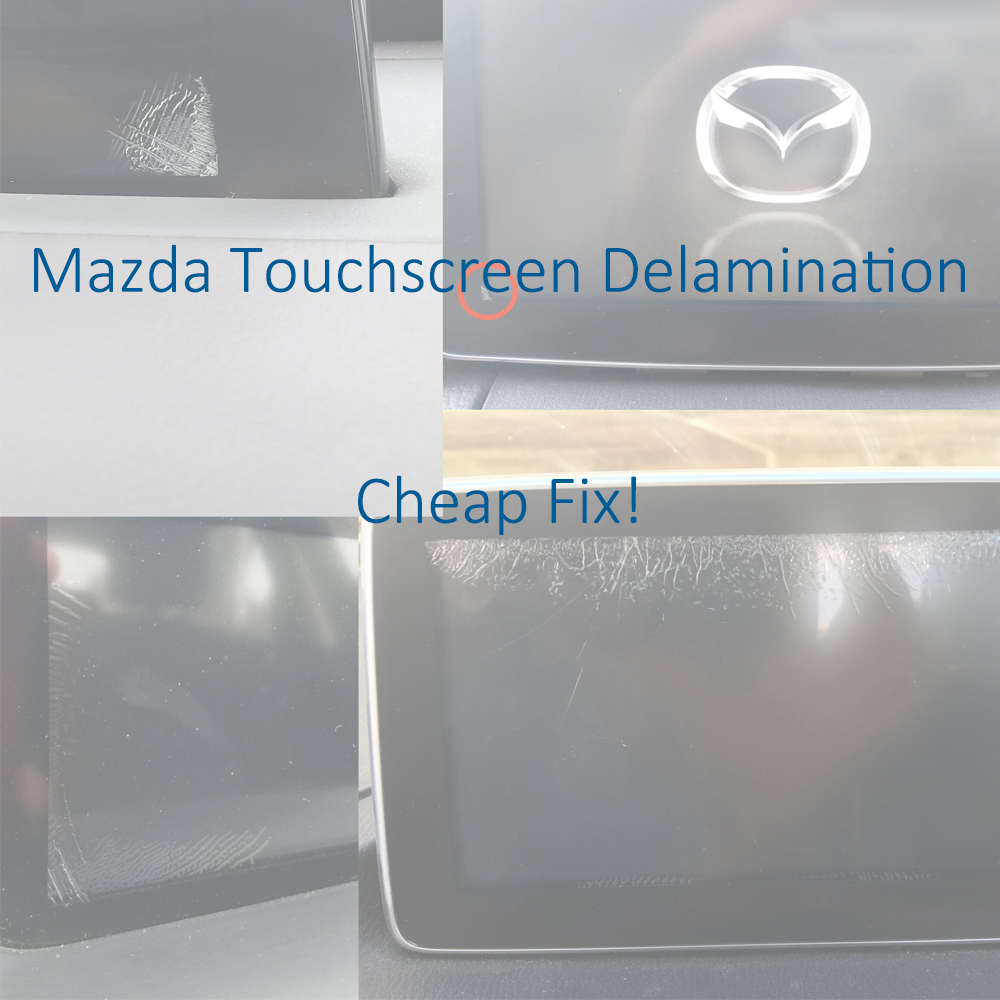
How to fix Mazda touchscreen cracking / delamination

Mazda Connect Touchscreen Digitizer Replacement Guide

If your Mazda Connect screen has developed cracks, ghost touch issues, or random touchscreen behavior, you may be able to fix it without replacing the entire CMU or screen assembly.

This repair uses basic tools and an inexpensive replacement digitizer, typically around $15–$25, making it far cheaper than a dealership repair or full screen replacement.


Common Symptoms

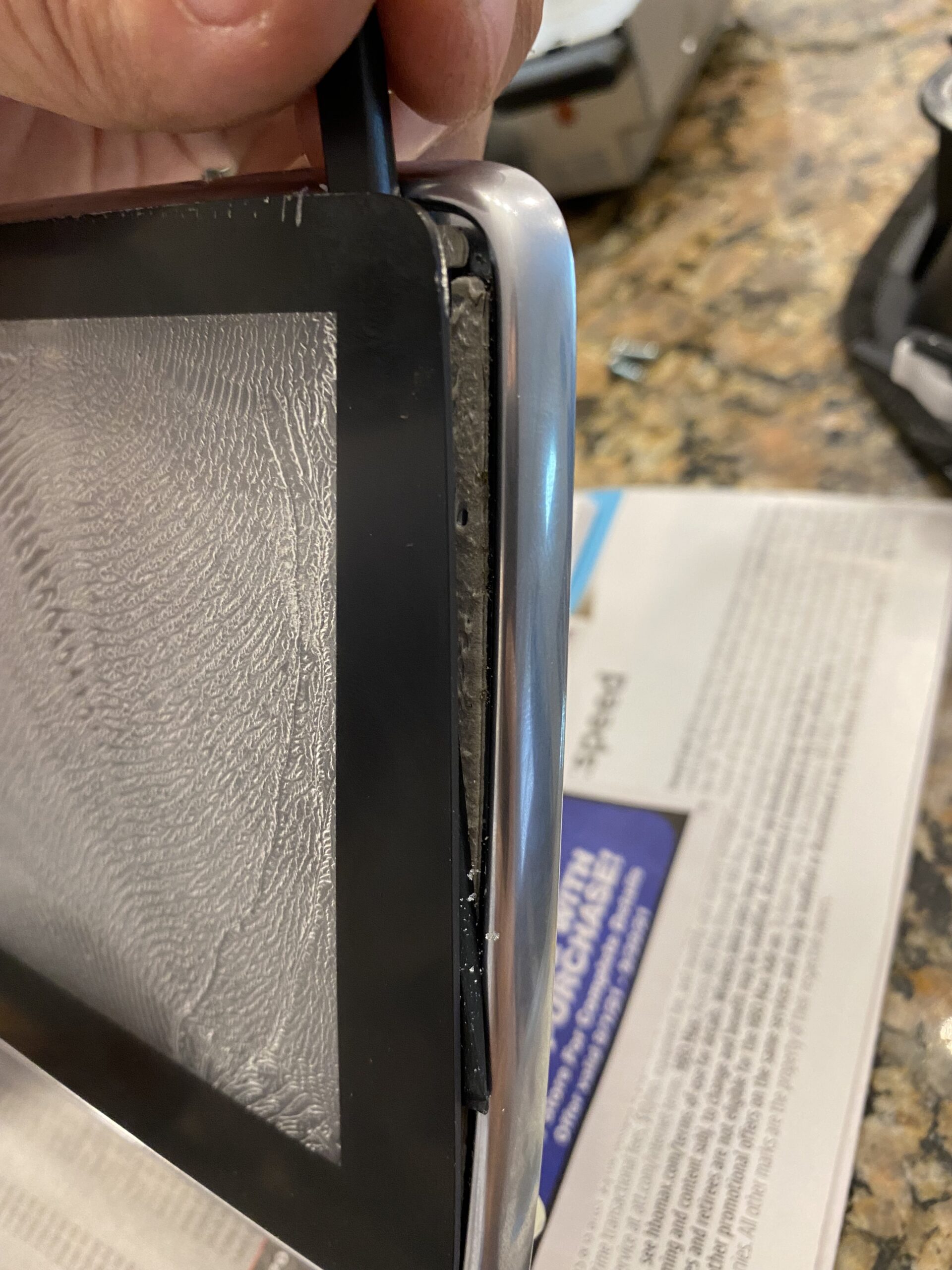
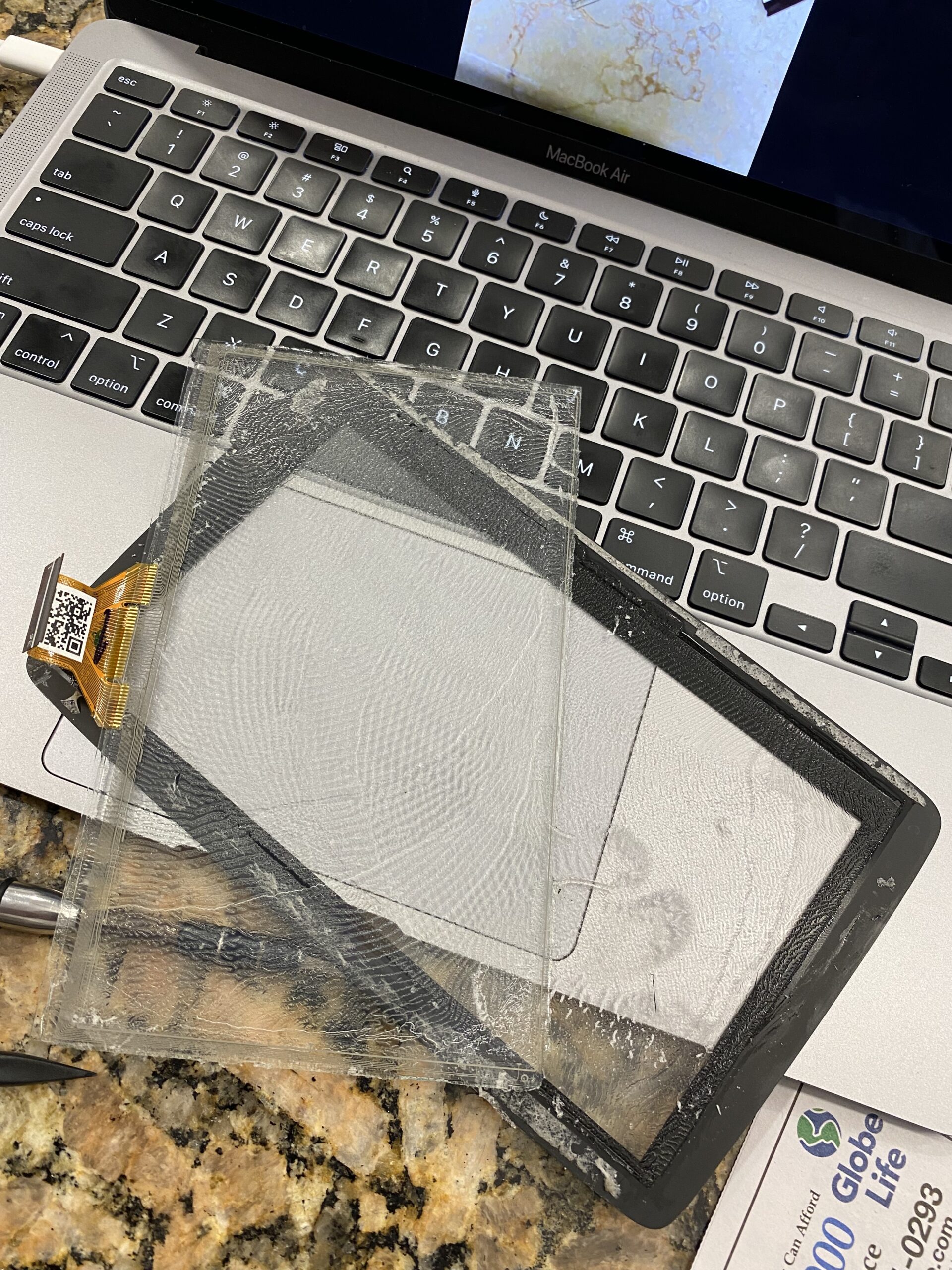
This issue is usually caused by adhesive delamination between the touchscreen cover and the digitizer after repeated hot and cold cycles.

  • Spider cracking around the edges of the screen
  • Ghost touches or random inputs
  • Touchscreen areas that stop responding
  • Erratic screen behavior

If your vehicle is still under full warranty, Mazda may replace the unit at no charge.

View Mazda TSB / warranty information
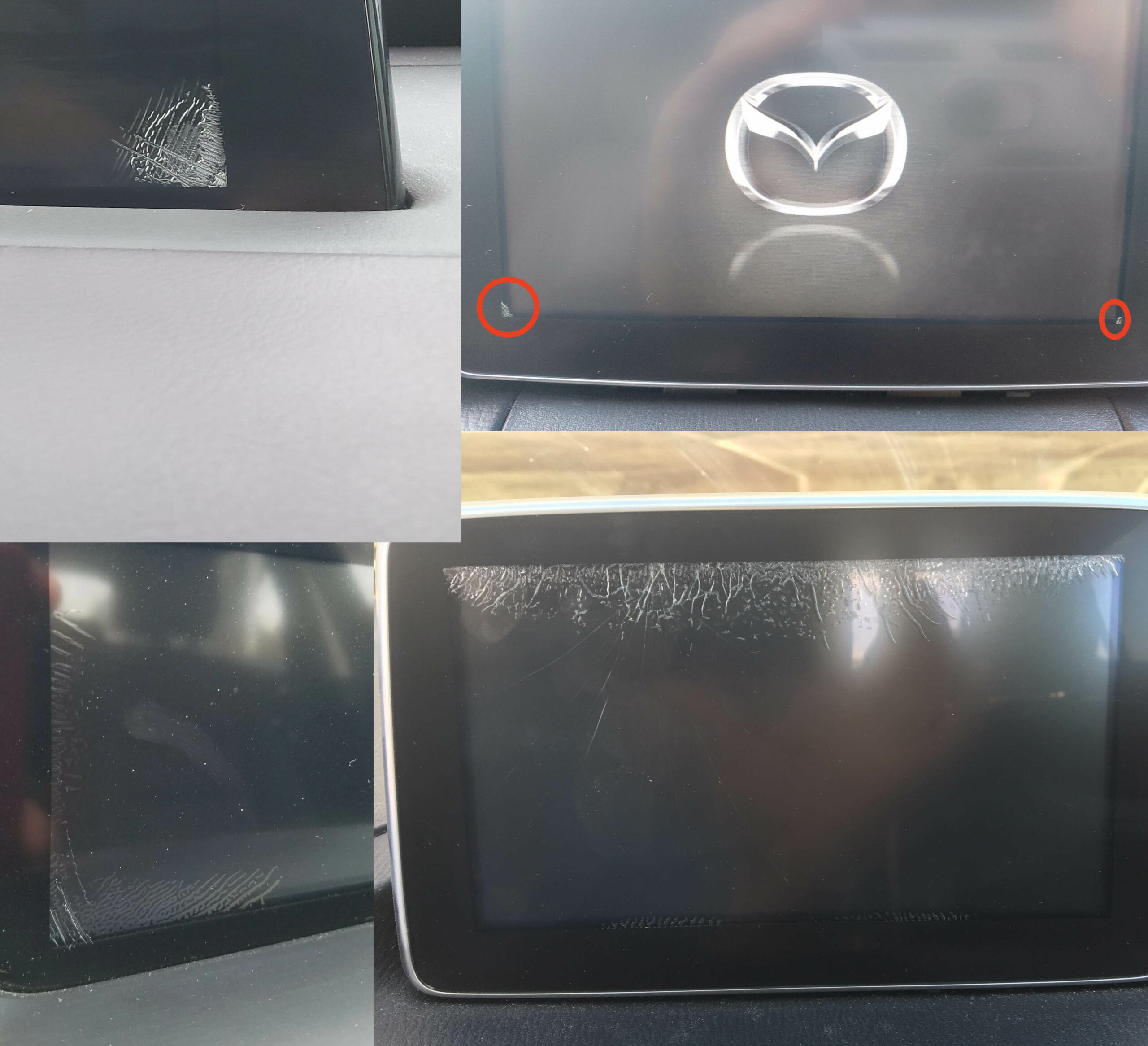
Mazda Connect screen cracking example


Important: 36-Pin vs 50-Pin Digitizers

Before ordering parts, verify which touchscreen digitizer your screen uses.

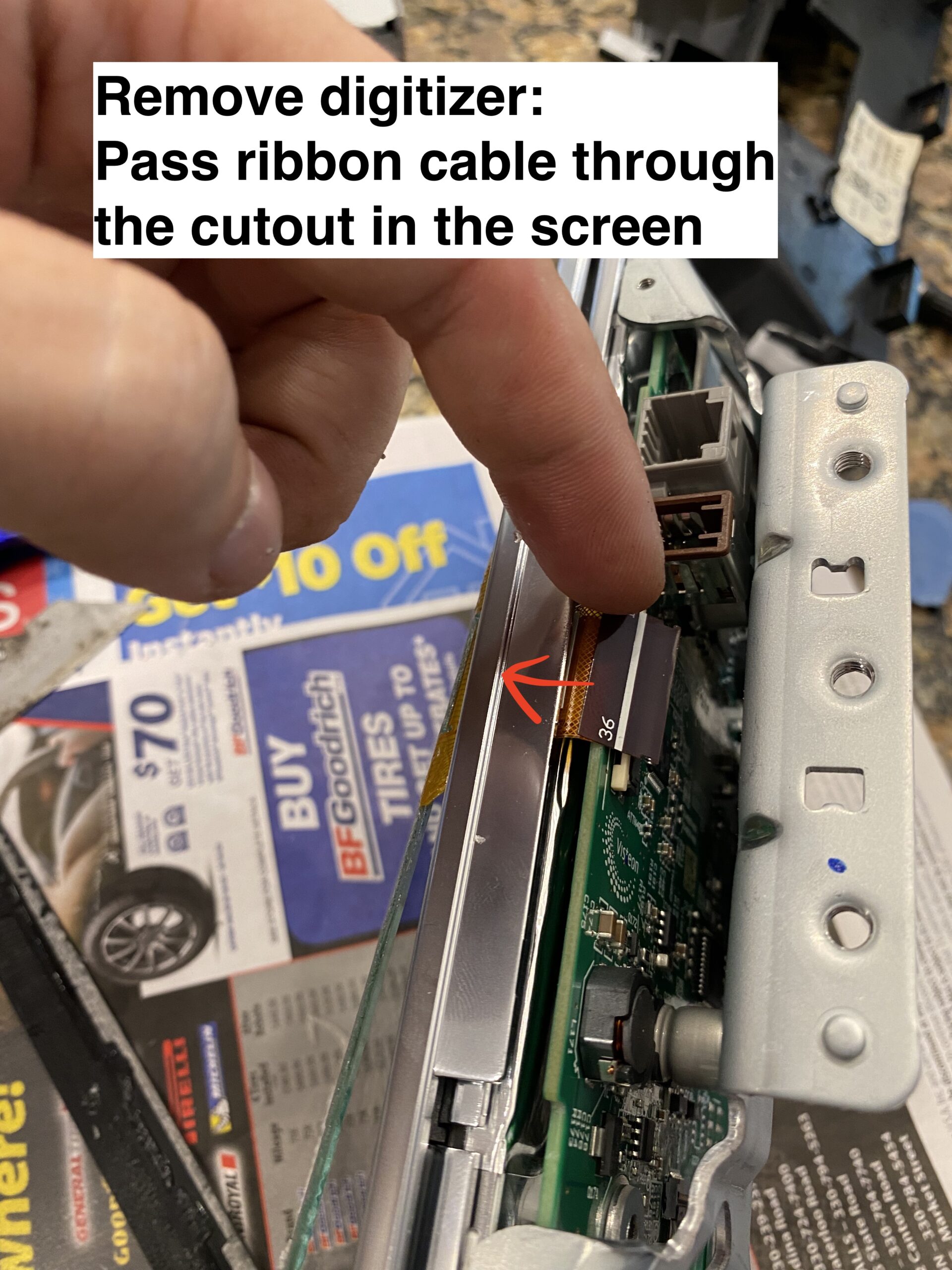
  • 36-pin digitizer — older style
  • 50-pin digitizer — newer style

The 36-pin version is typically found on older assemblies, while the 50-pin digitizer is the newer design. Always confirm your connector type before purchasing a replacement.

It is said that 2018+ models with the black bezel trim (instead of chrome) feature the newer 50 pin digitizer. If someone can confirm this, and post a comment, that would be extremely helpful.

Note 2: None of this applies to the ND3 (2024+) This is a completely different screen, and so far no reports of digitizer de-lamination.


Before You Begin

Use caution: parts of this repair require careful handling to avoid damaging the screen PCB or ribbon cables. If you are not comfortable working on delicate electronics, this may not be the right DIY project for you.

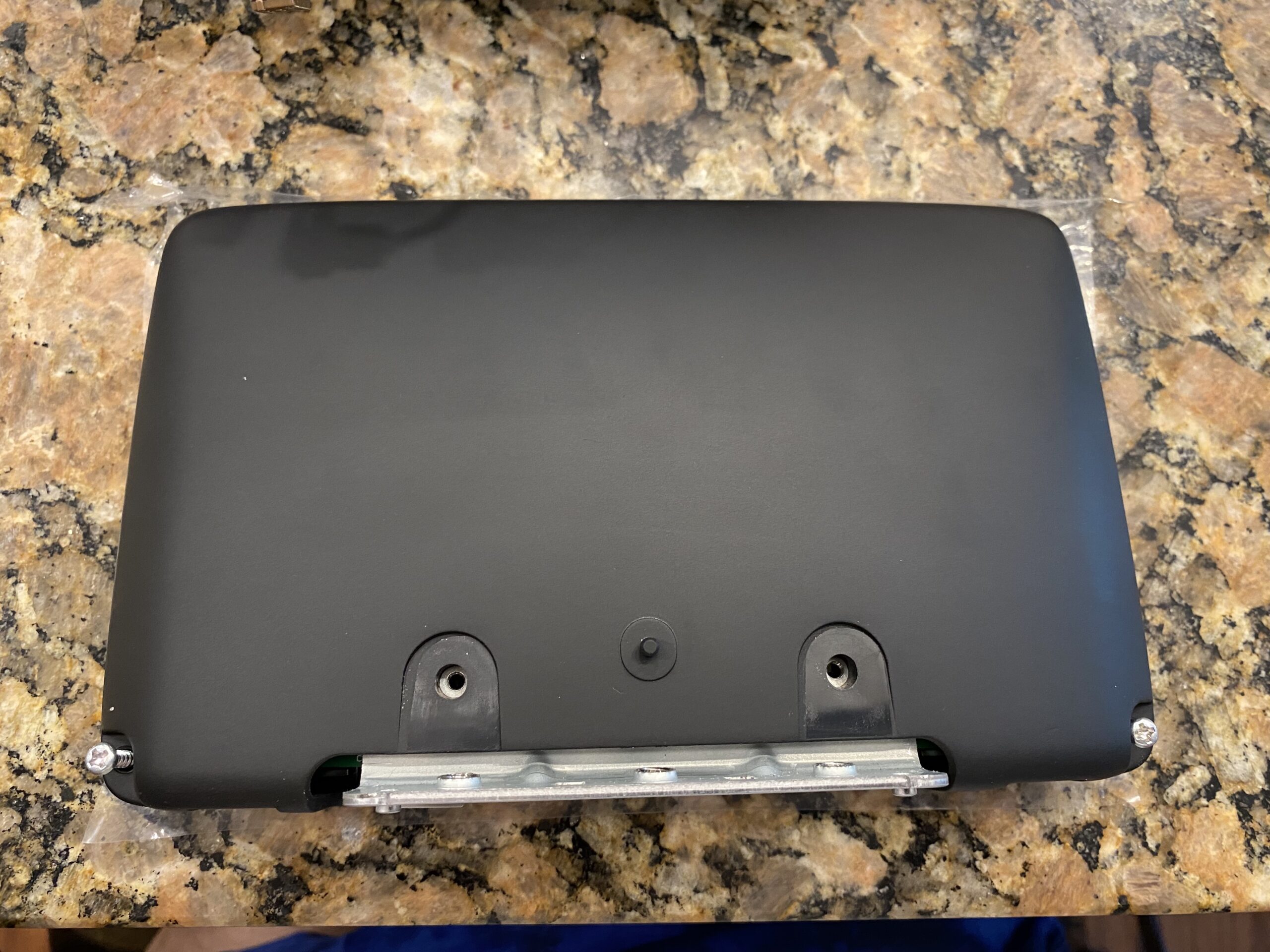
These photos were taken during reassembly after the screen was repaired, so some images may show the unit going back together rather than coming apart.


Tools and Parts

If this guide helps you, consider using the affiliate links below to purchase the needed parts.

Buy 36 pin replacement touchscreen on eBay (Affiliate Link)

Buy 36 pin replacement touchscreen on Amazon (Affiliate Link)

Buy 50 pin replacement touchscreen on eBay (Affiliate Link)

Buy 50 pin replacement touchscreen on Amazon (Affiliate Link)

Disclosure: When you click certain links on this site and make a purchase, this site may earn a commission through affiliate programs, including the eBay Partner Network and Amazon affiliate links.
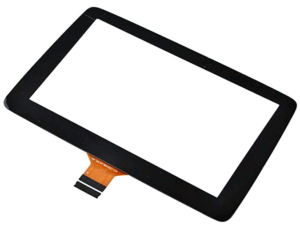
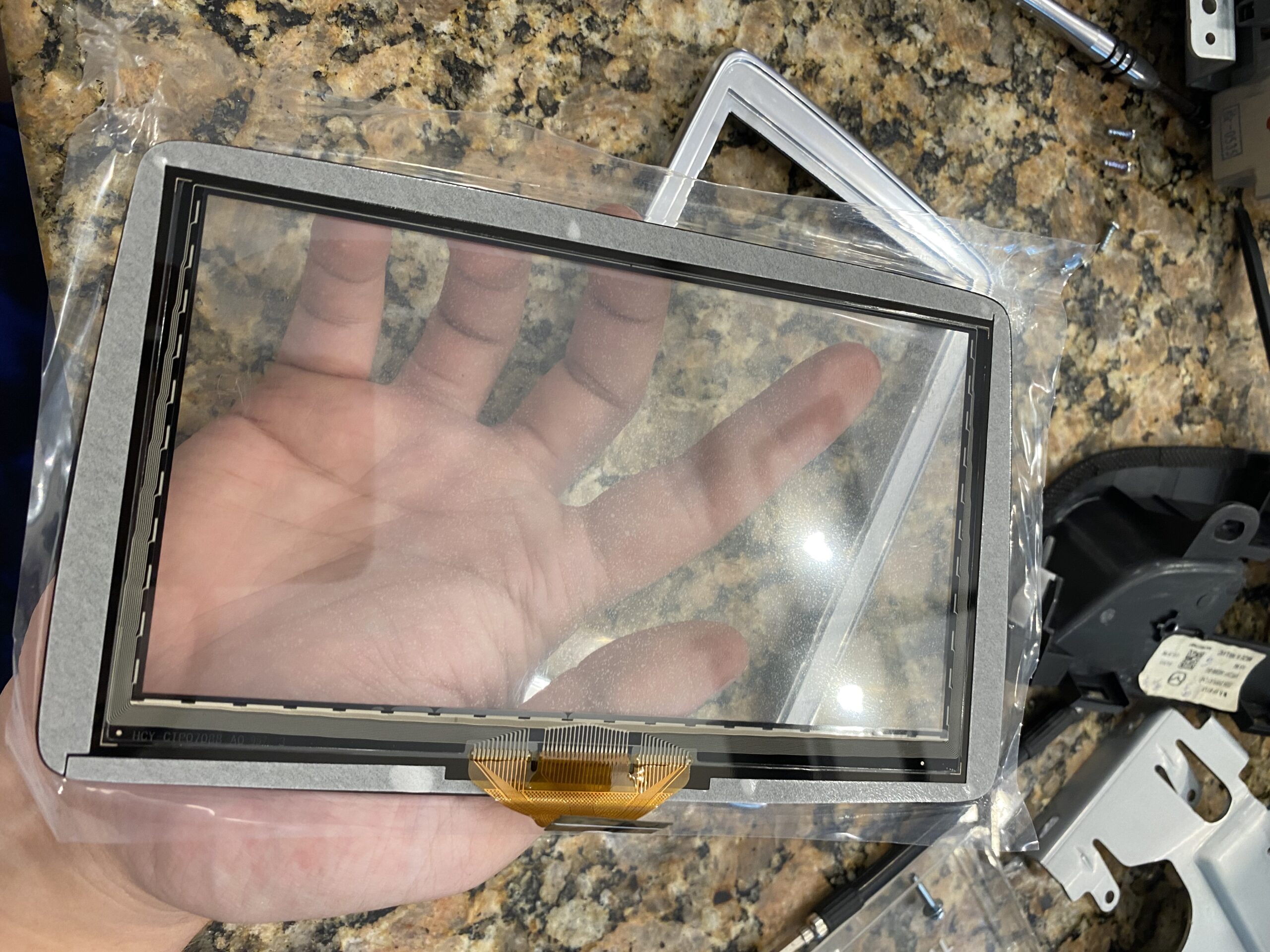
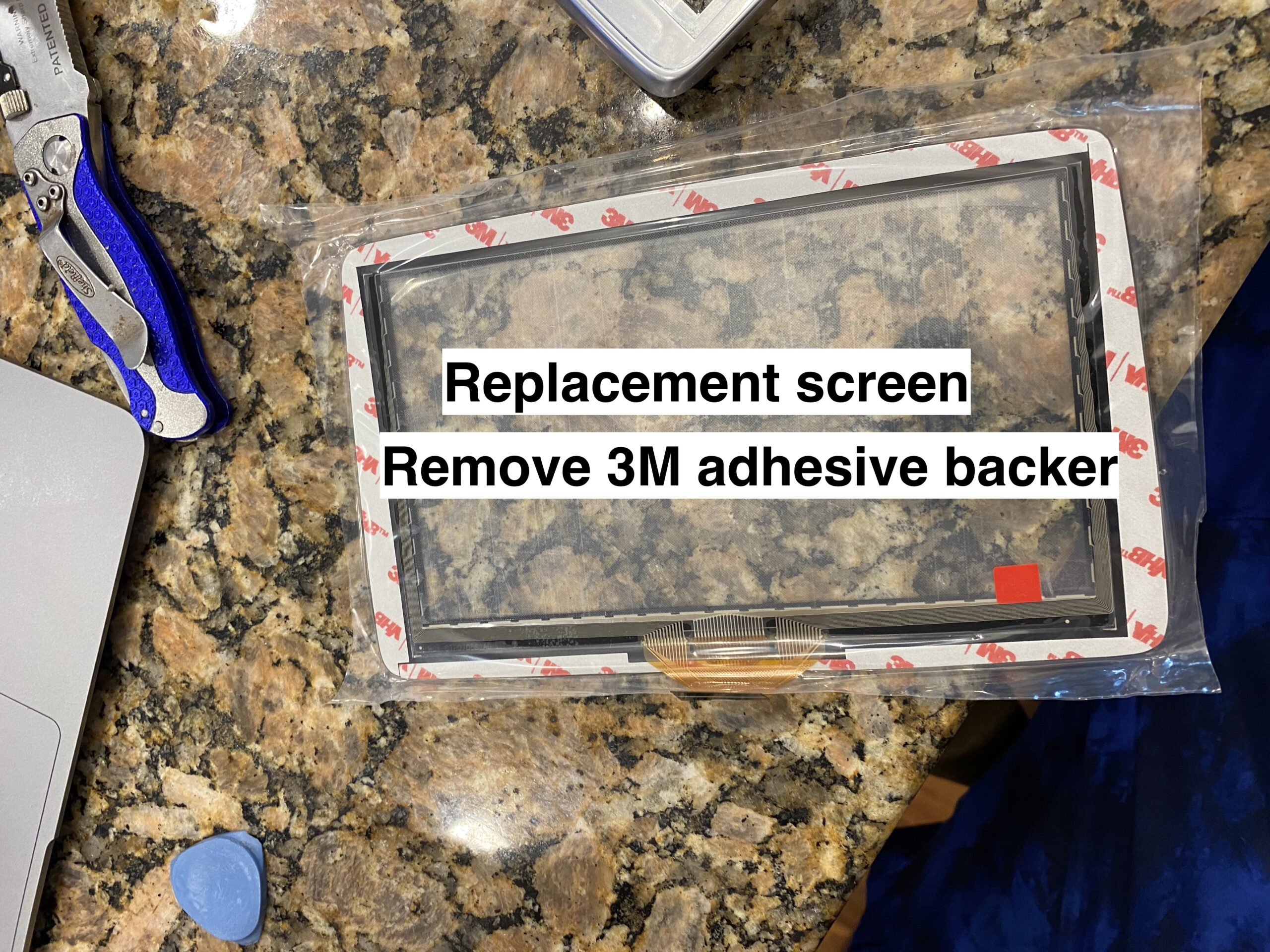
Replacement touchscreen


Step-by-Step Photo Guide

Follow the repair in stages instead of scrolling through one long wall of photos.

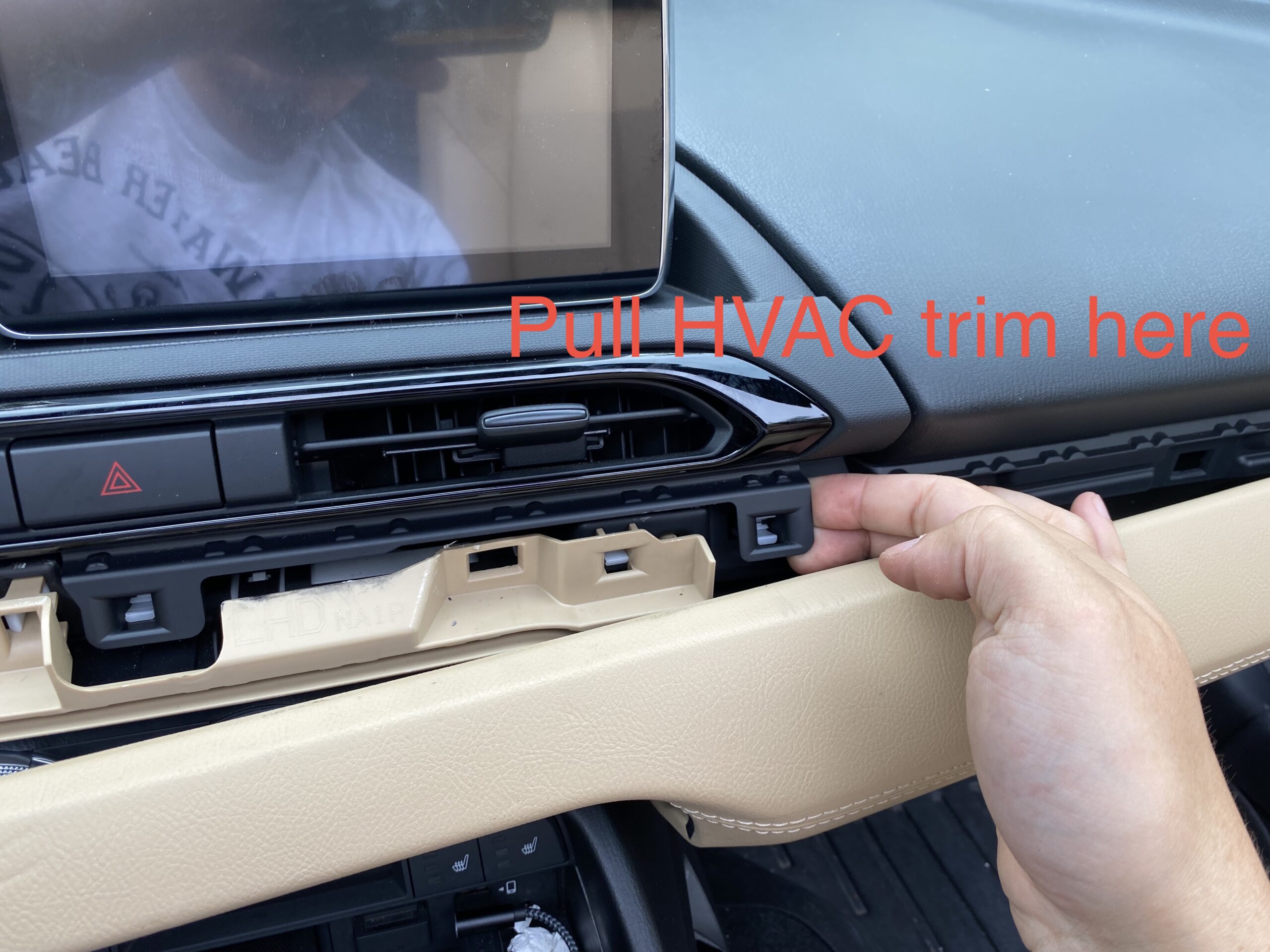
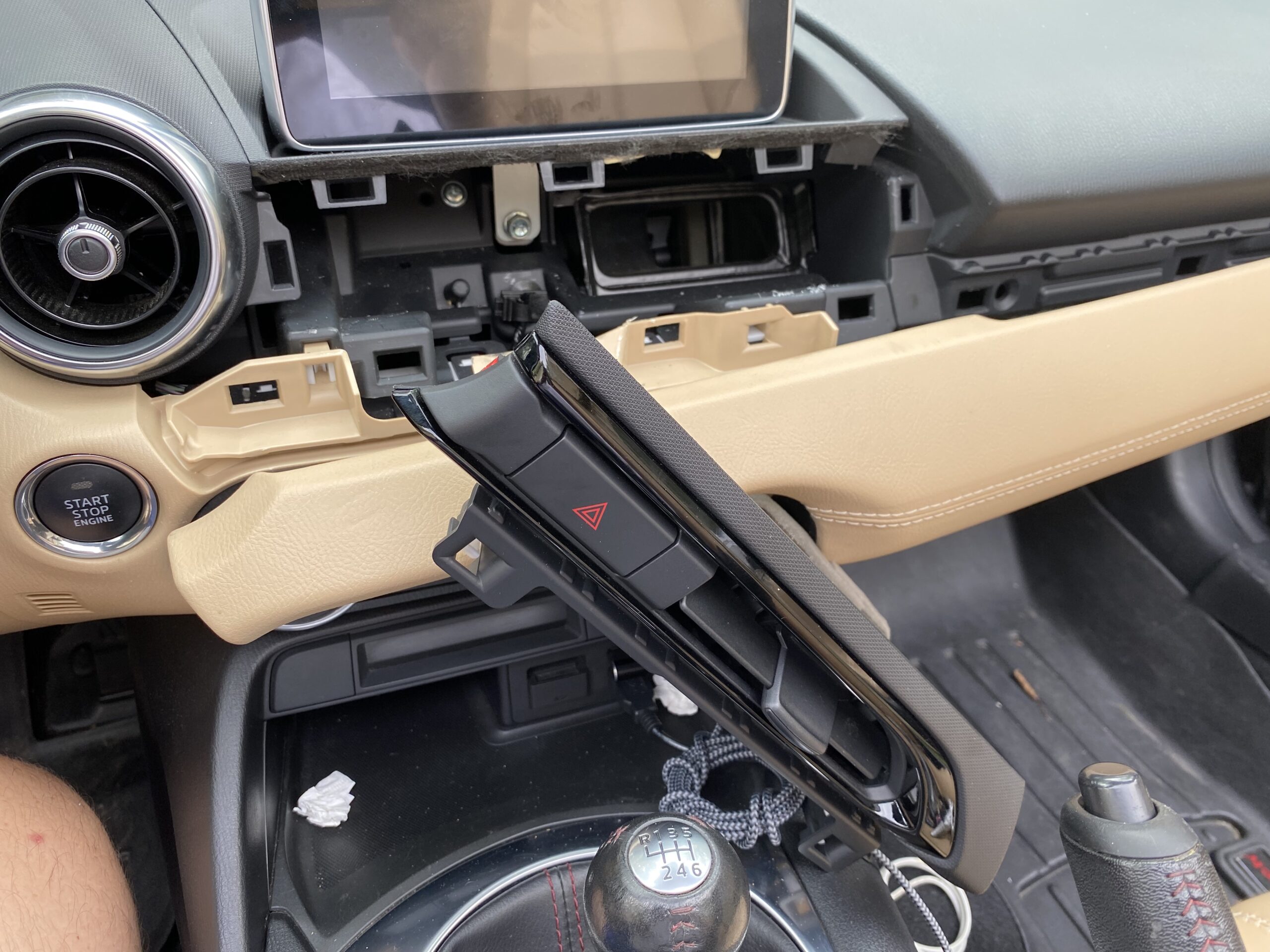
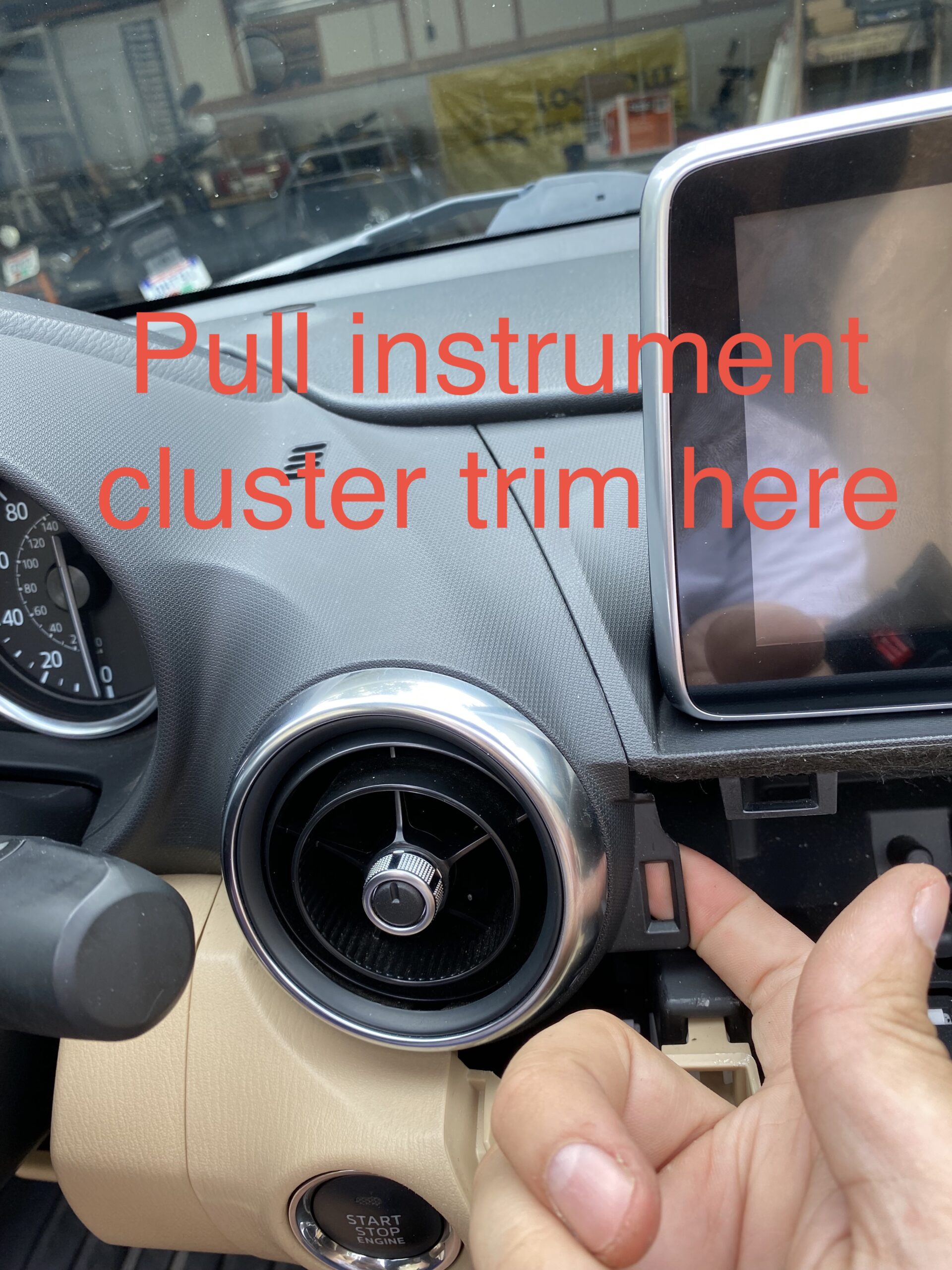
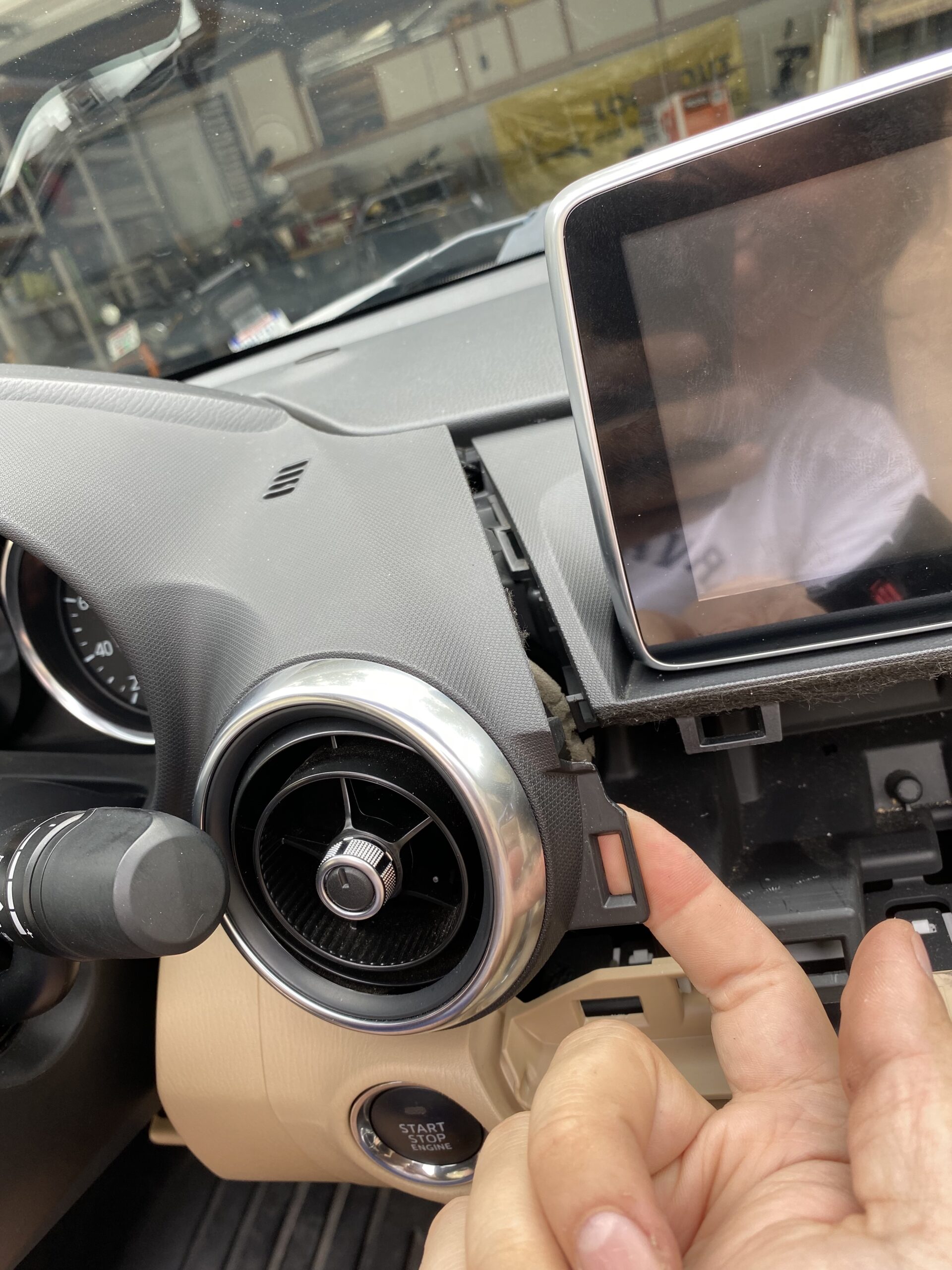
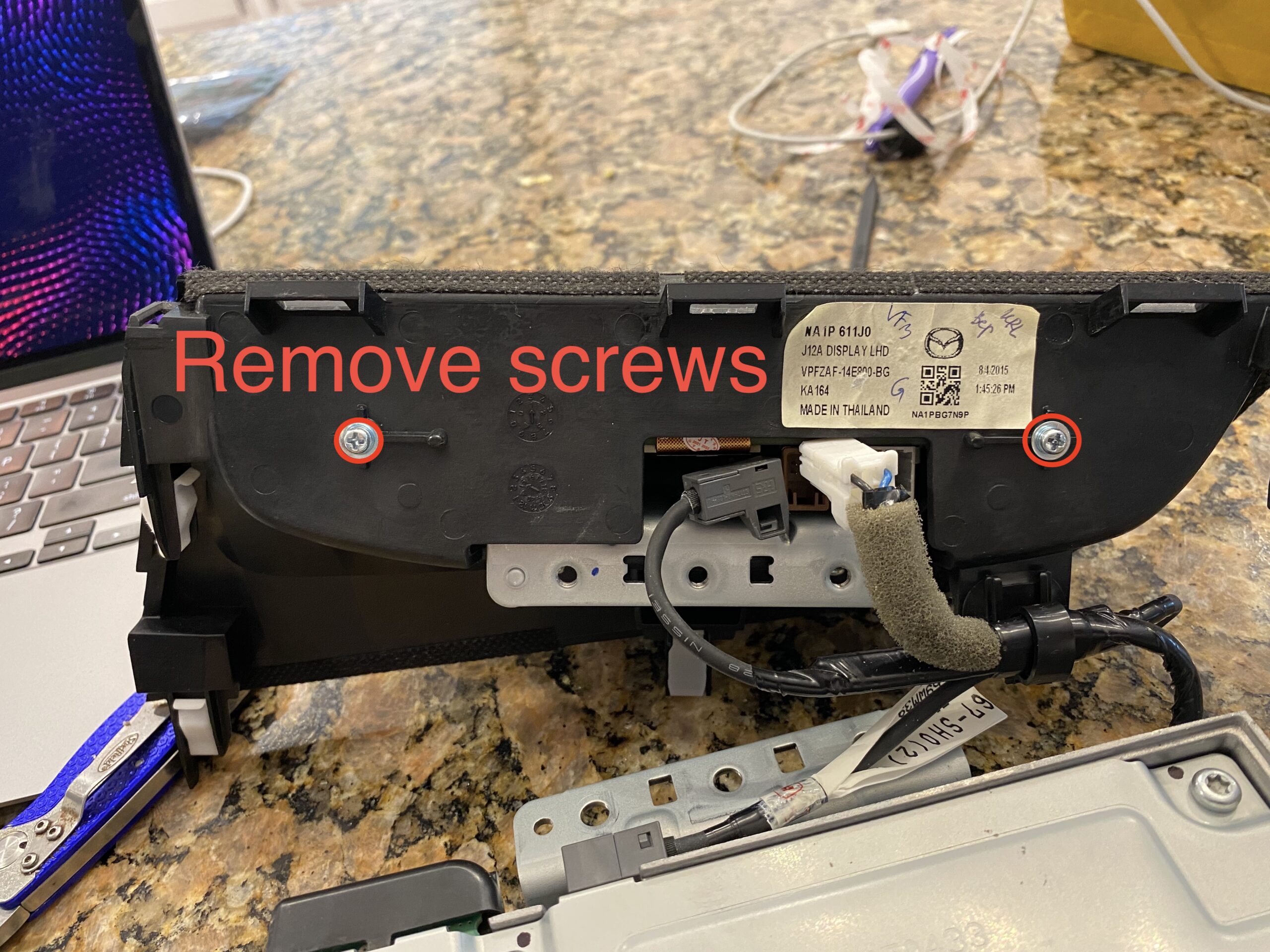
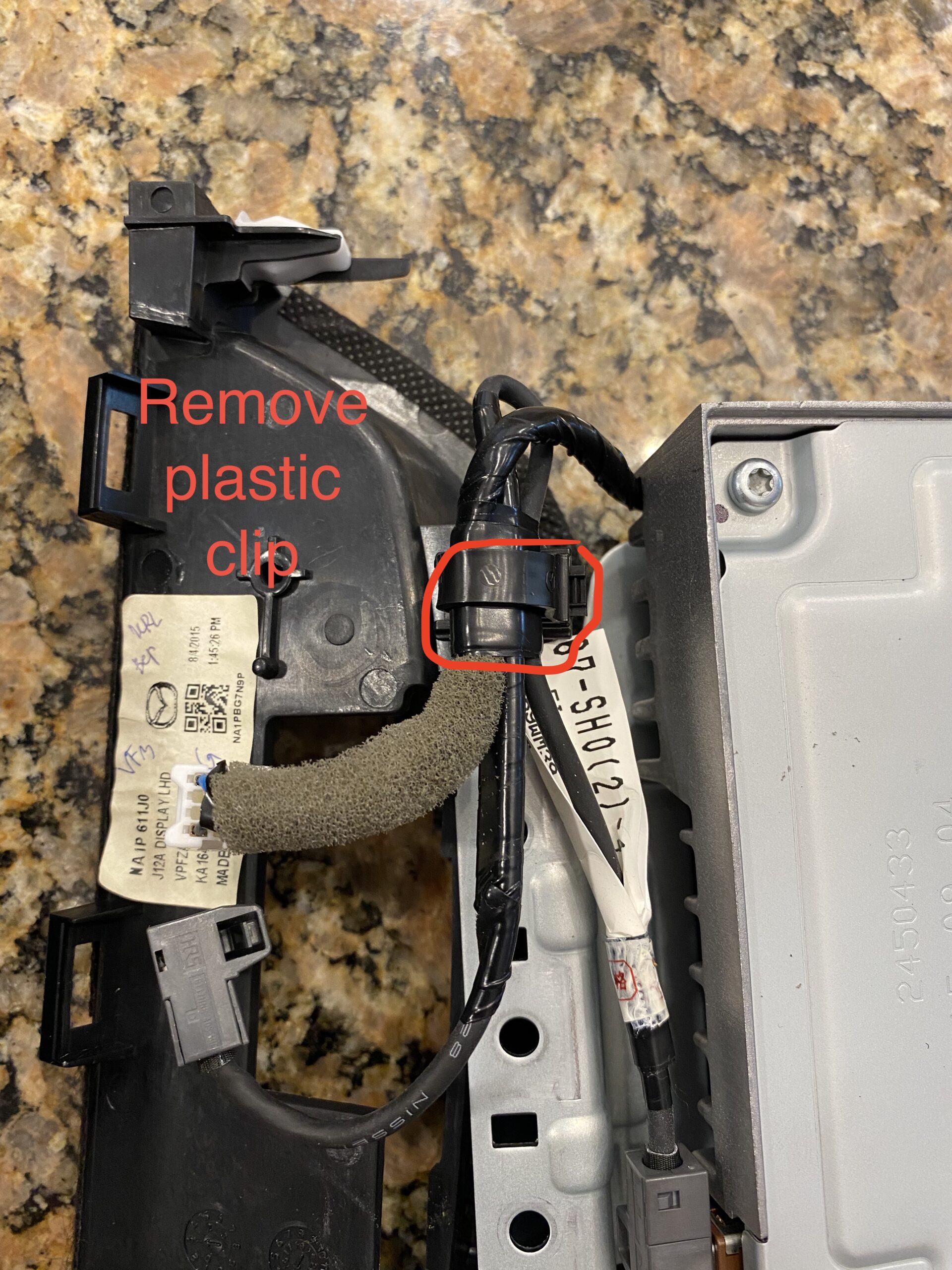
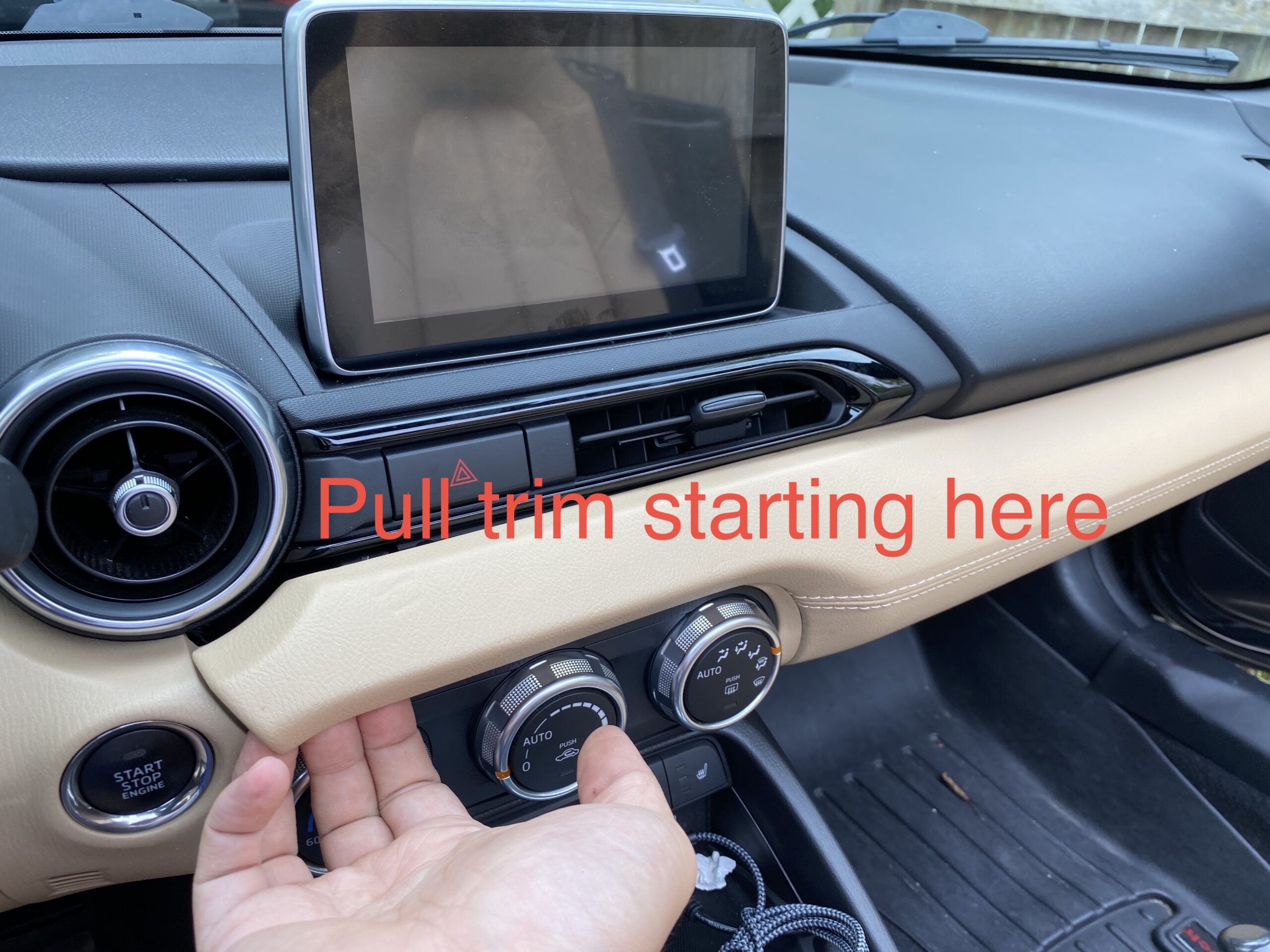
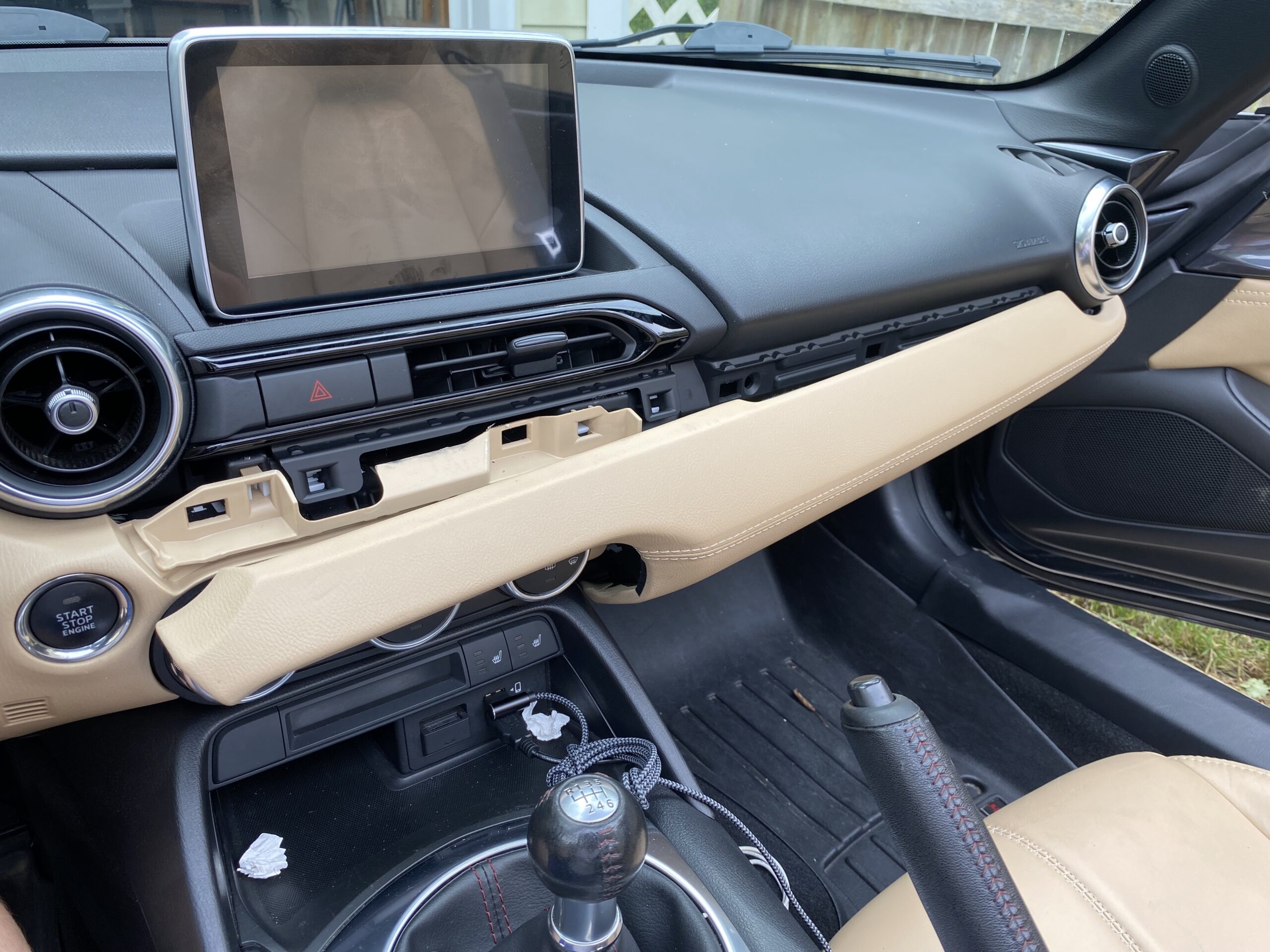
Step 1 — Remove the display and surrounding trim

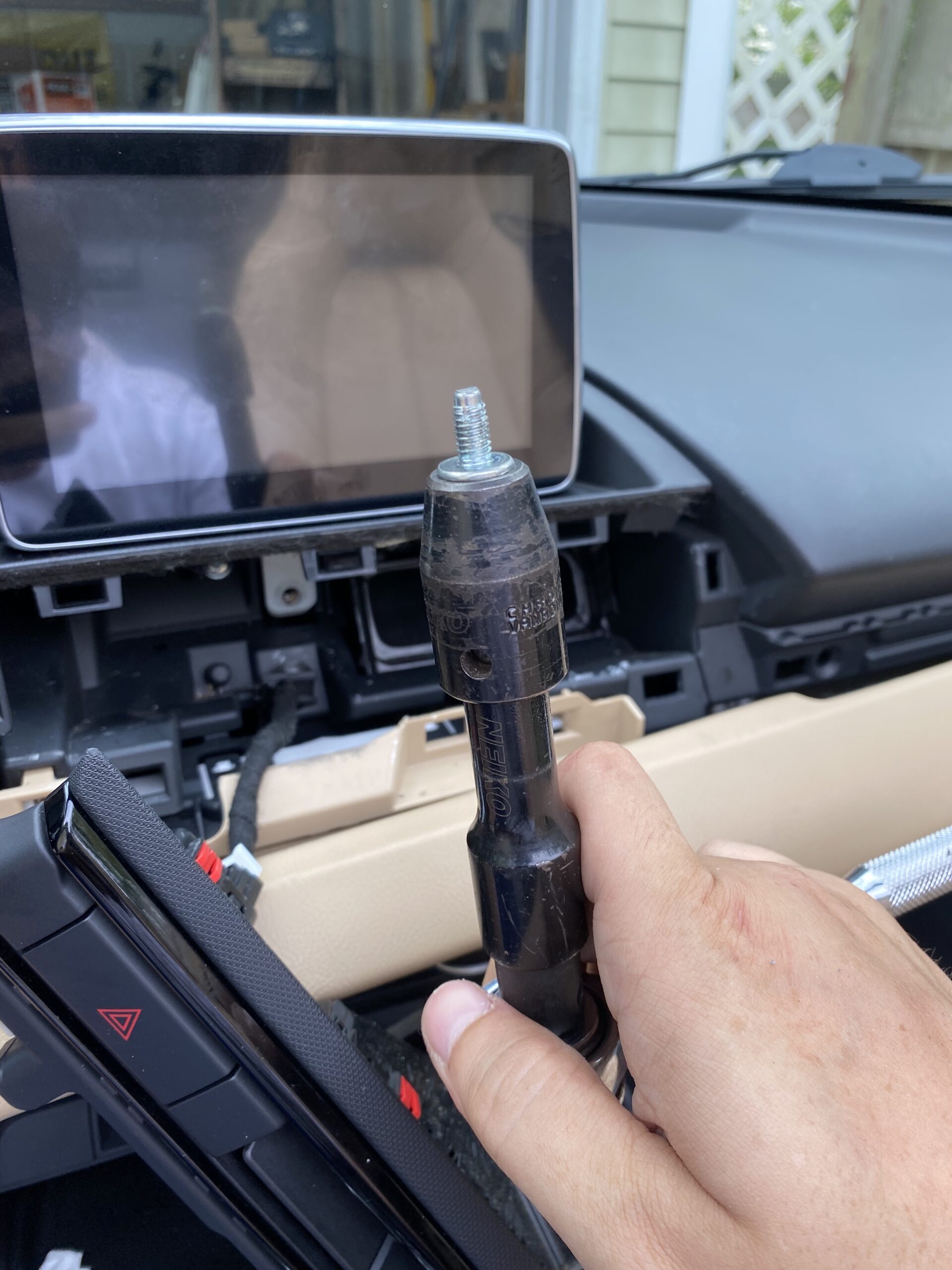
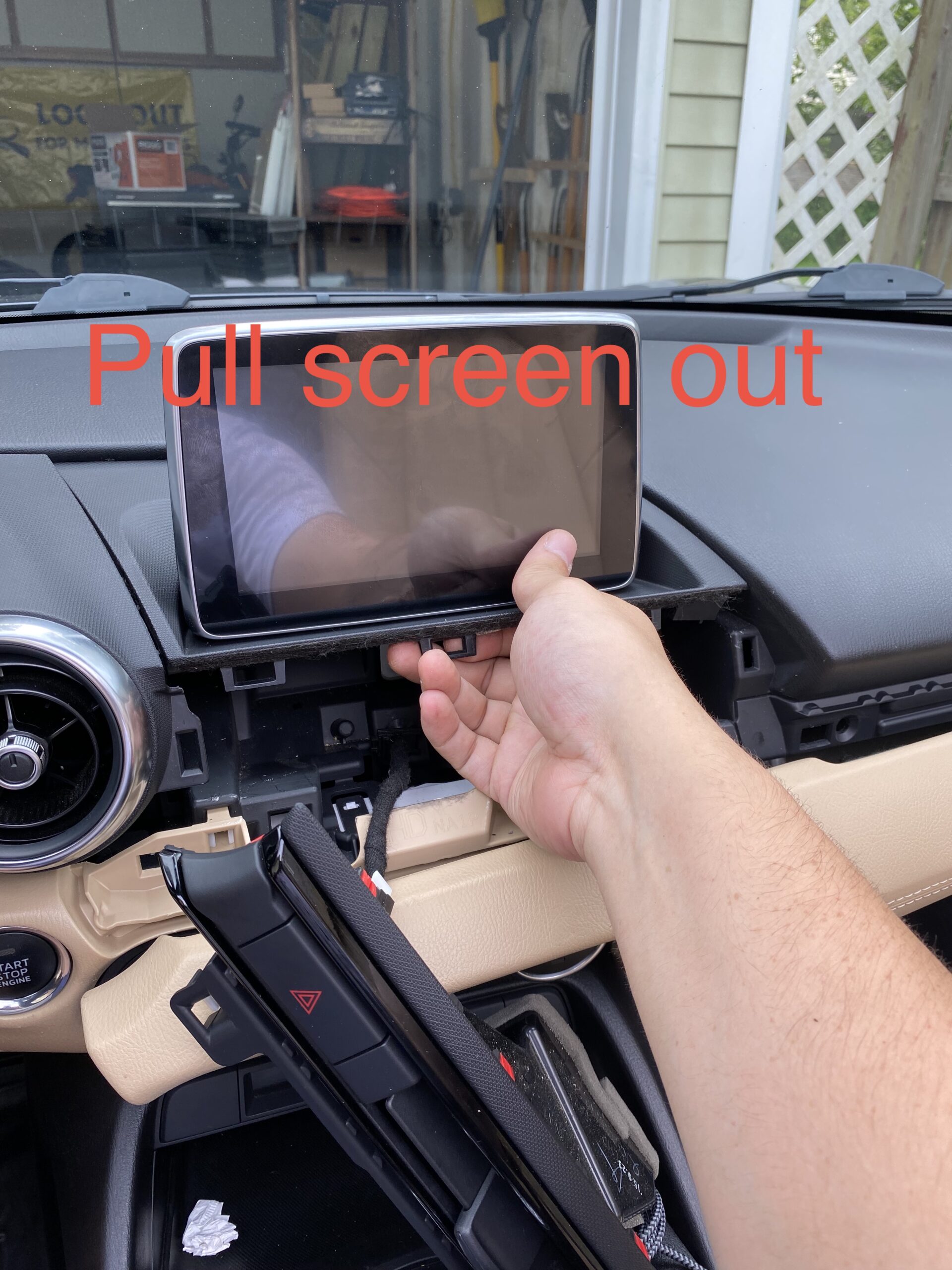
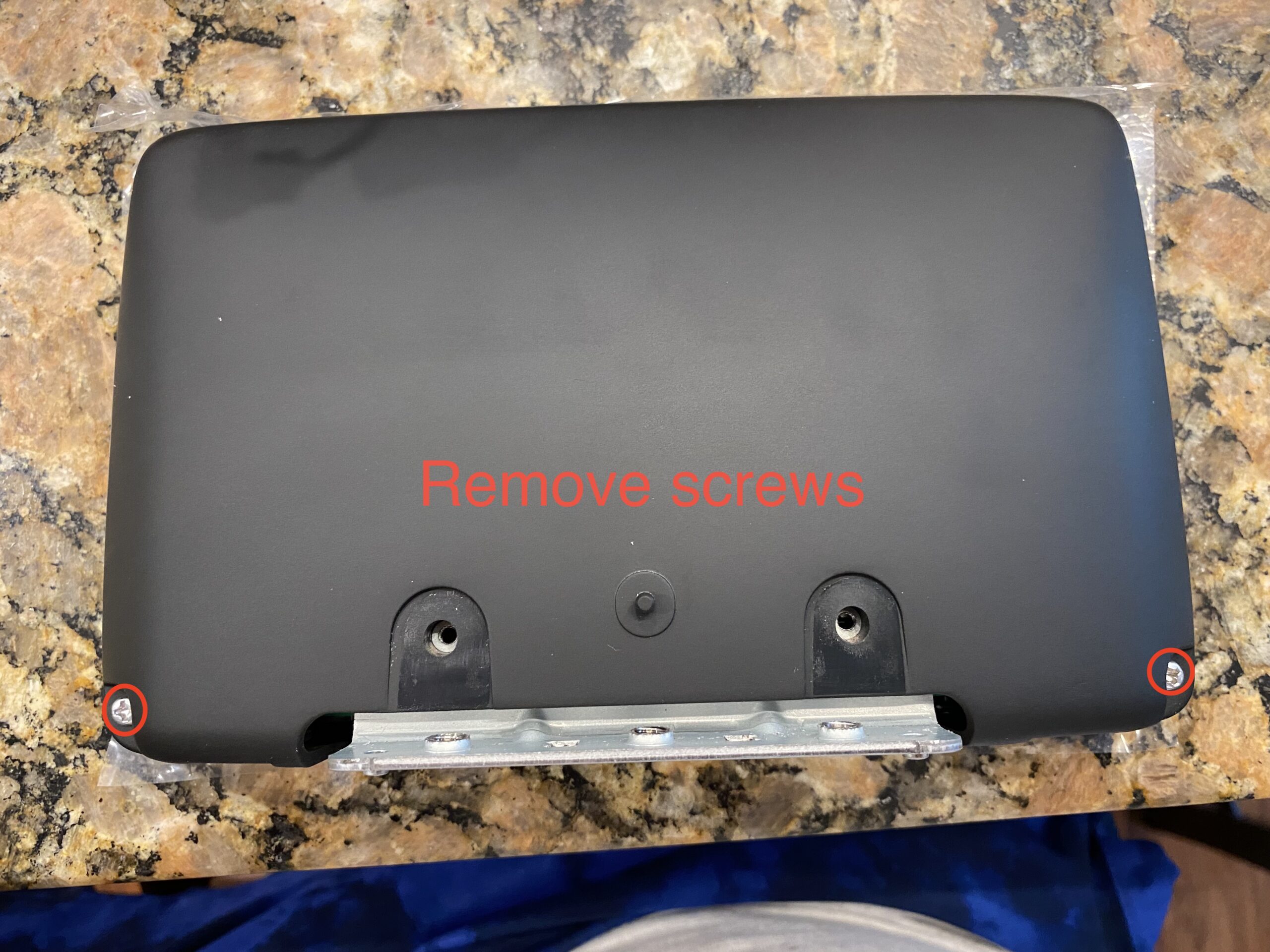
Start by removing the trim pieces and screen assembly carefully. Keep track of screws and clips as you go.
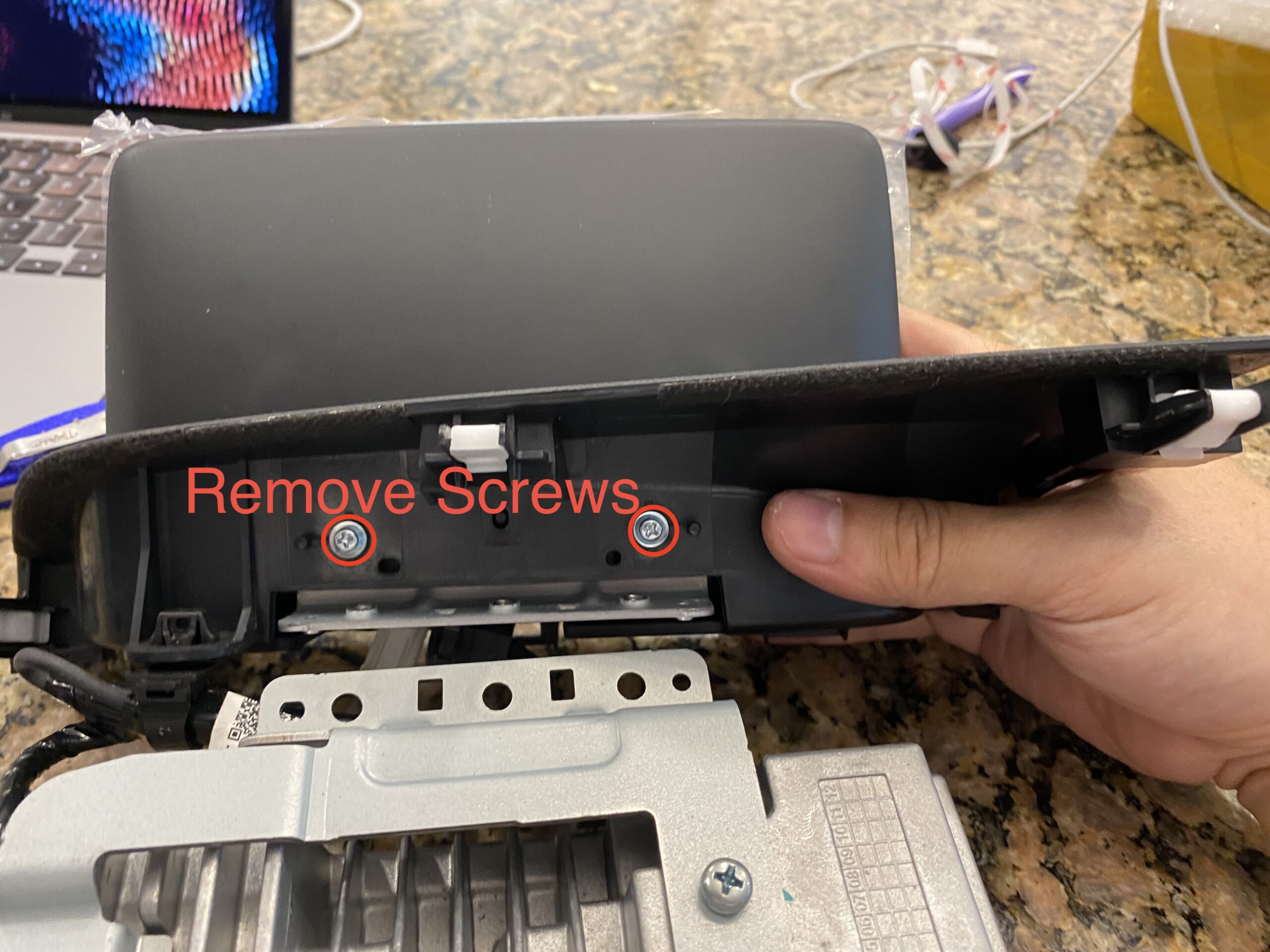
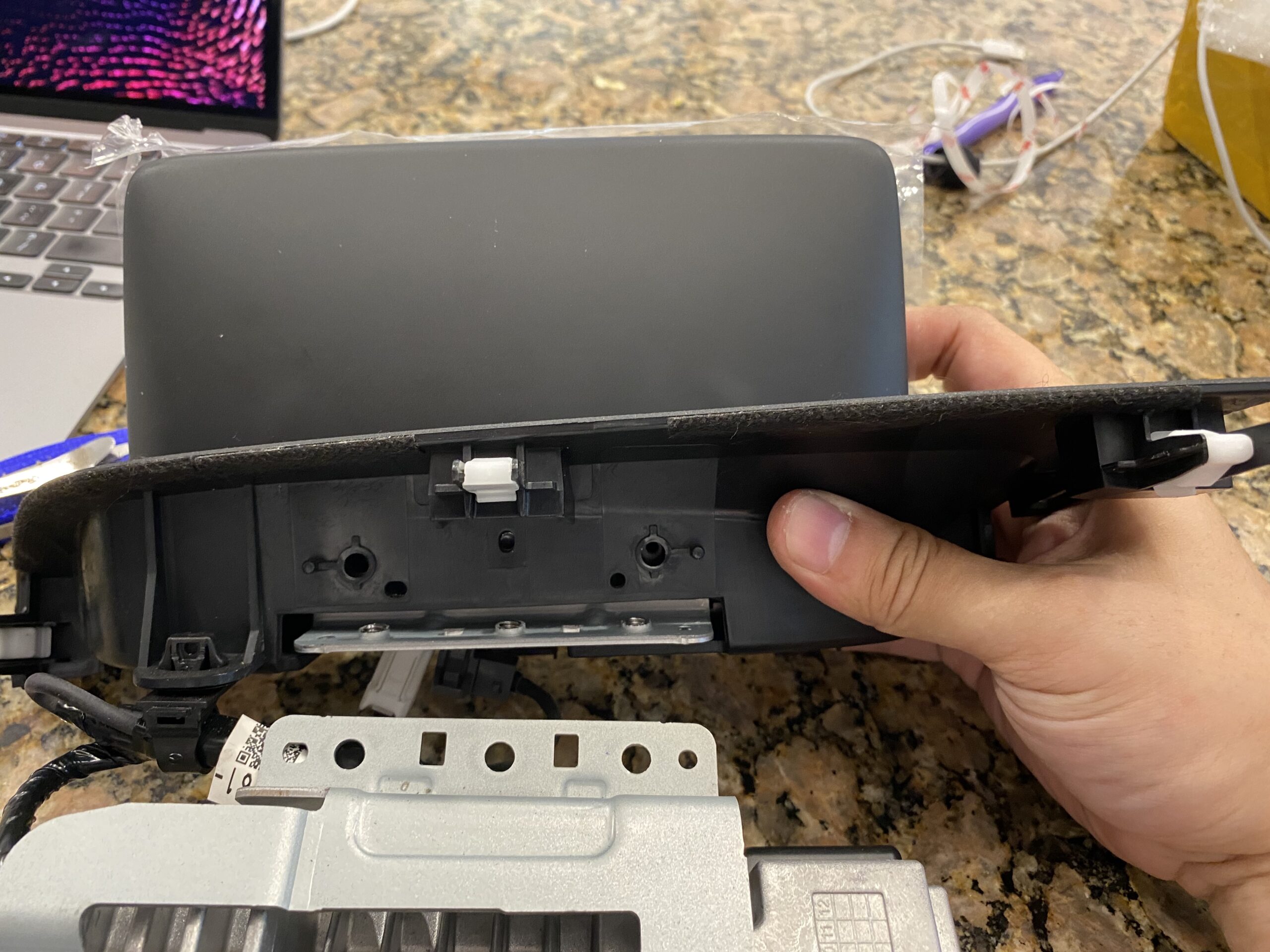
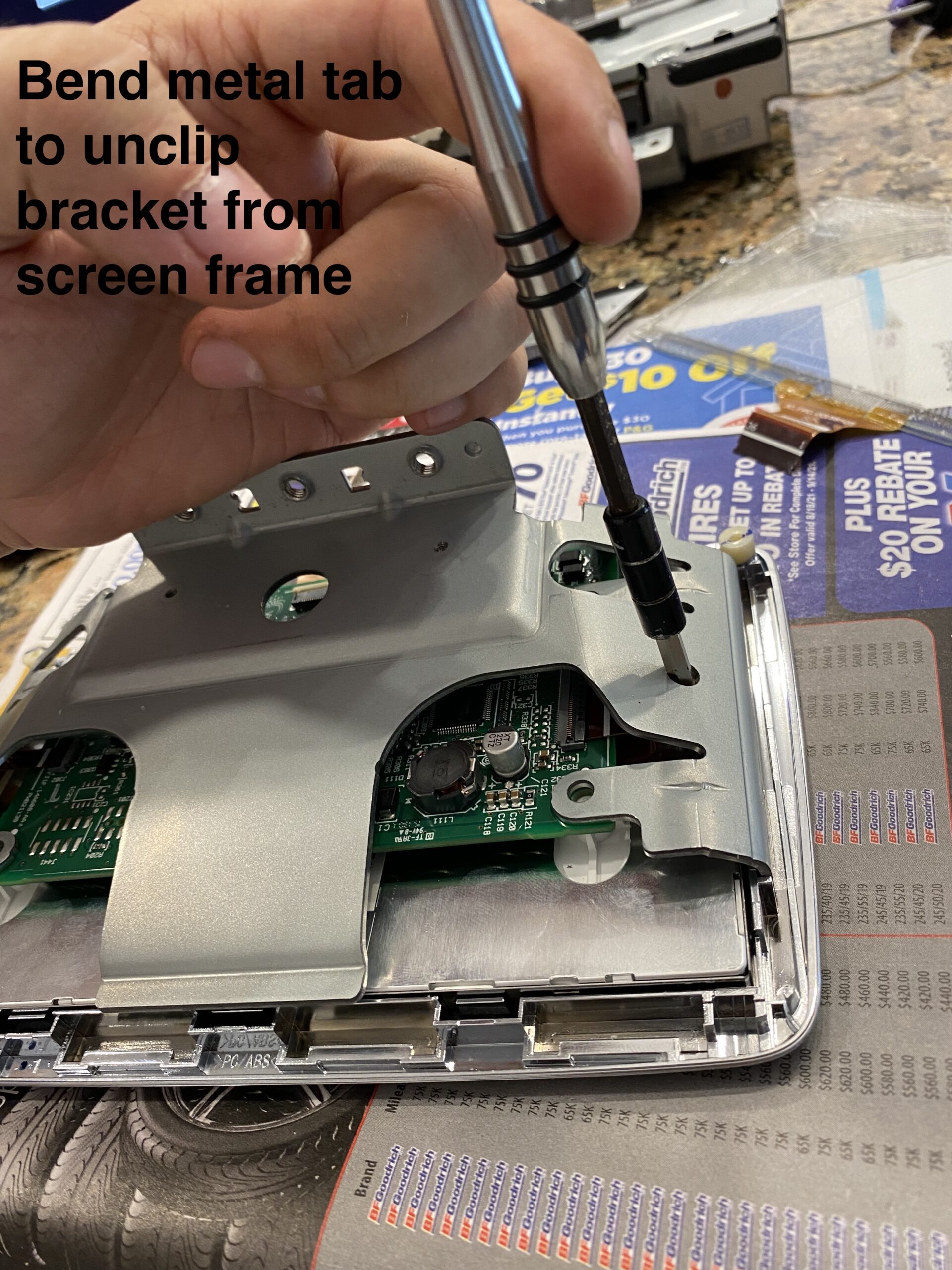
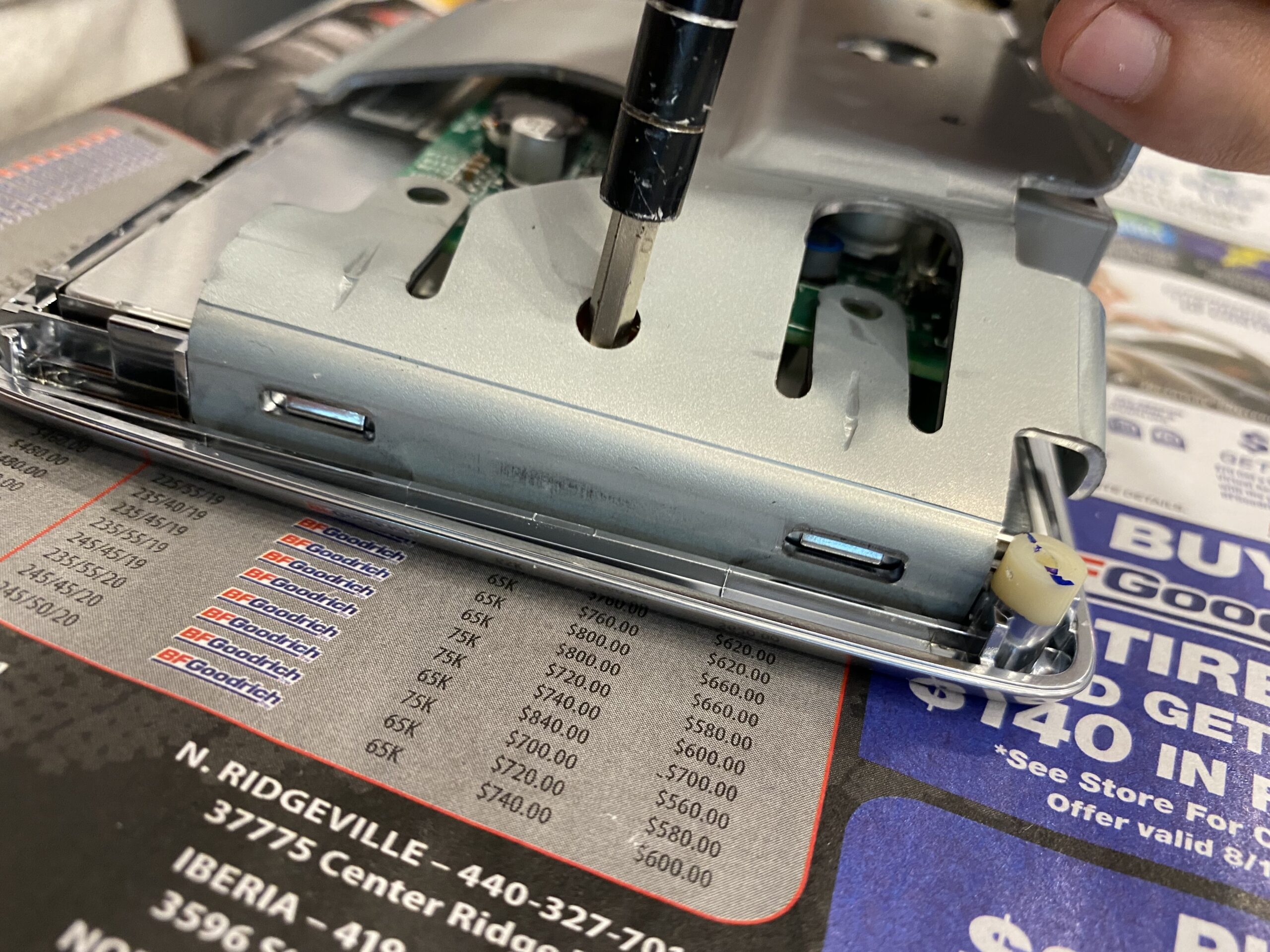
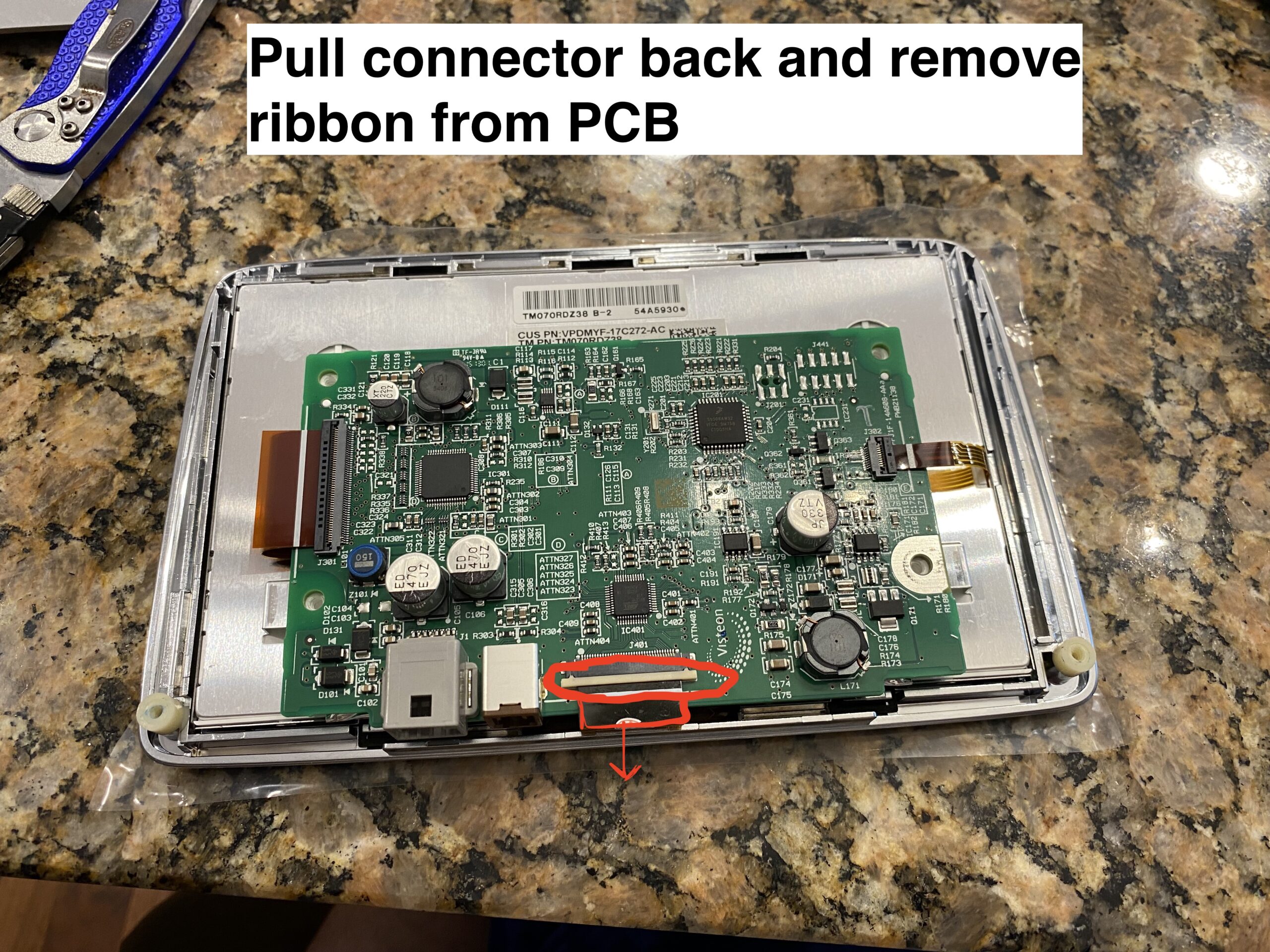
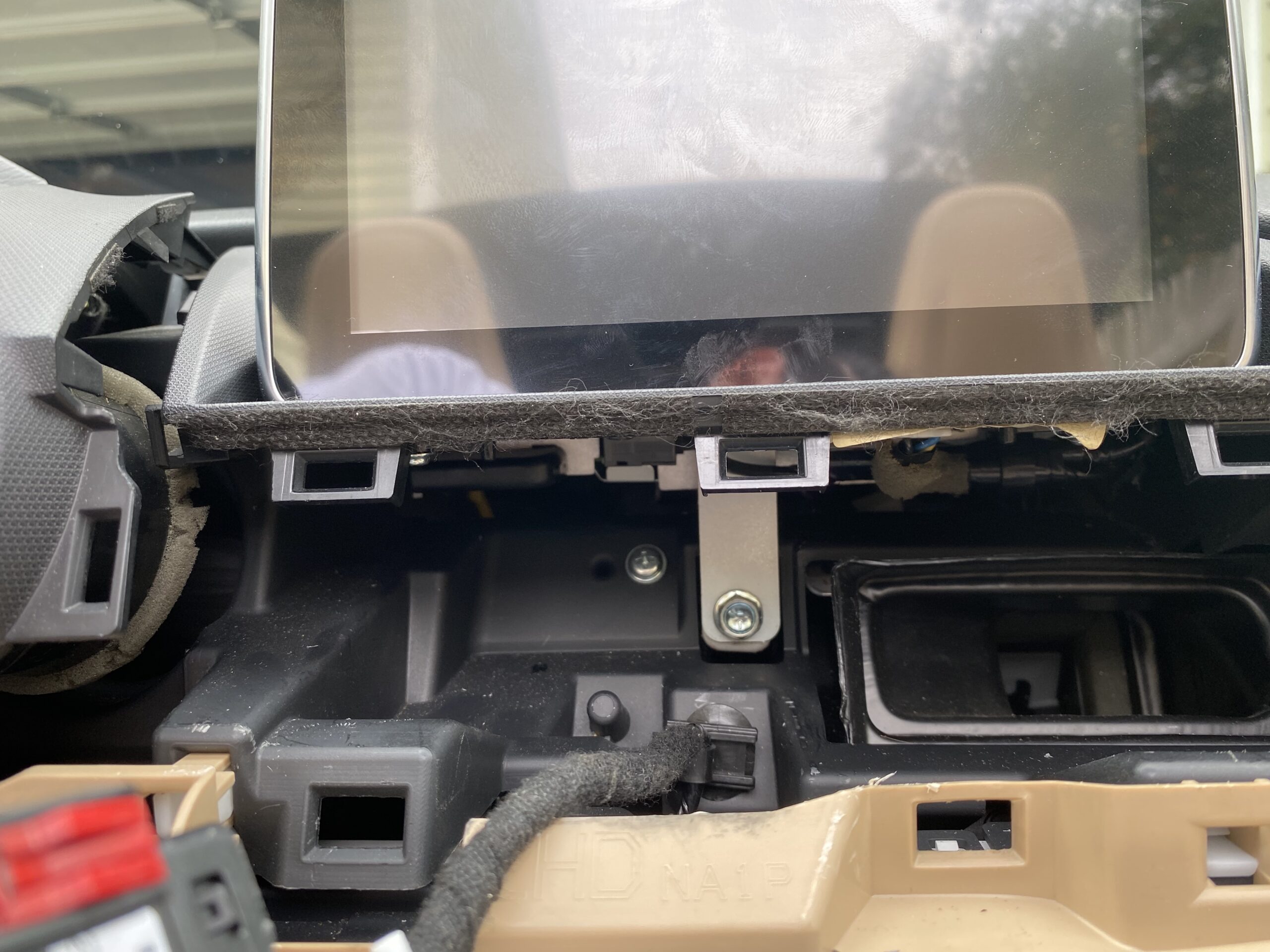
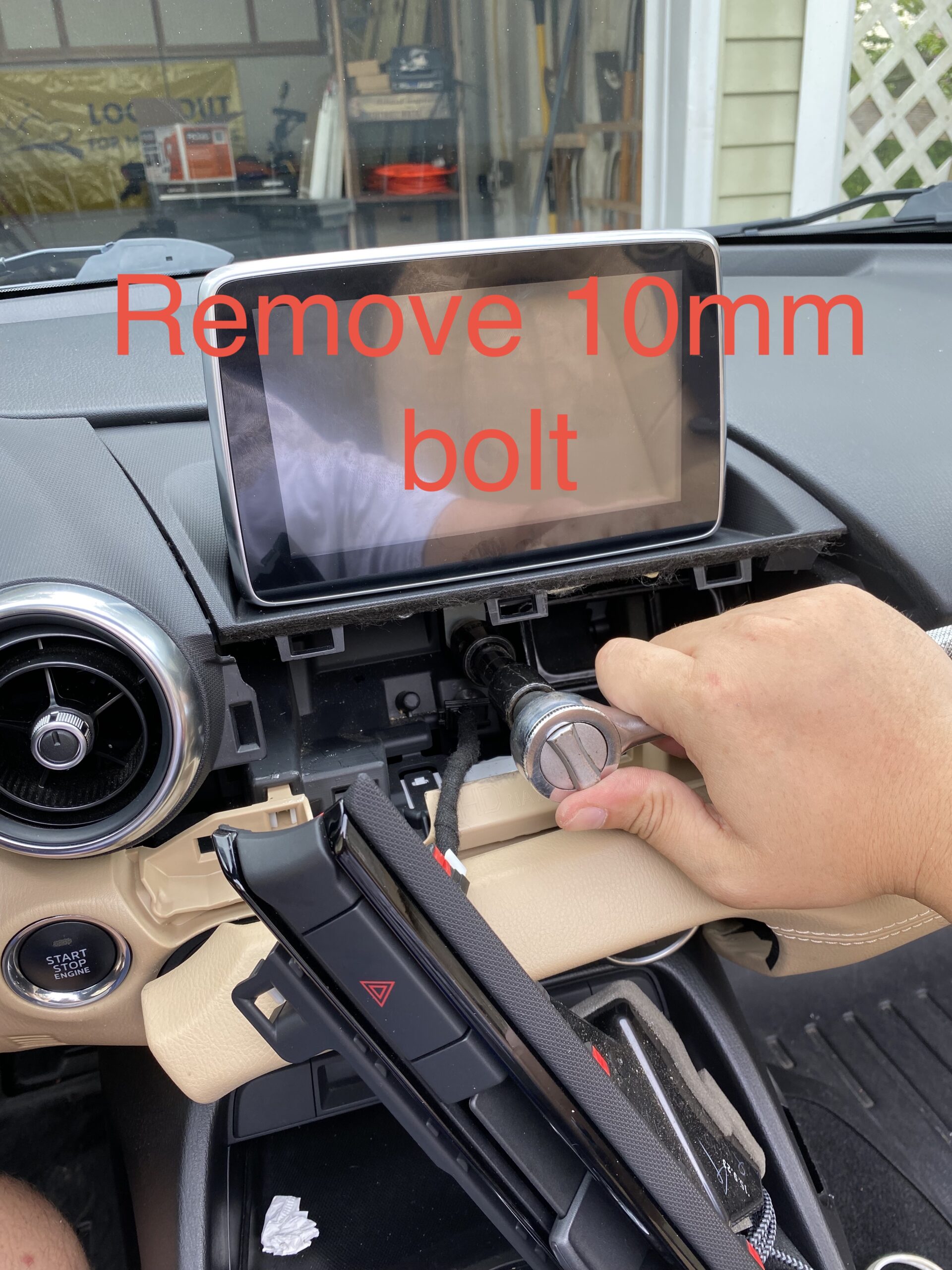
Step 2 — Open the screen housing

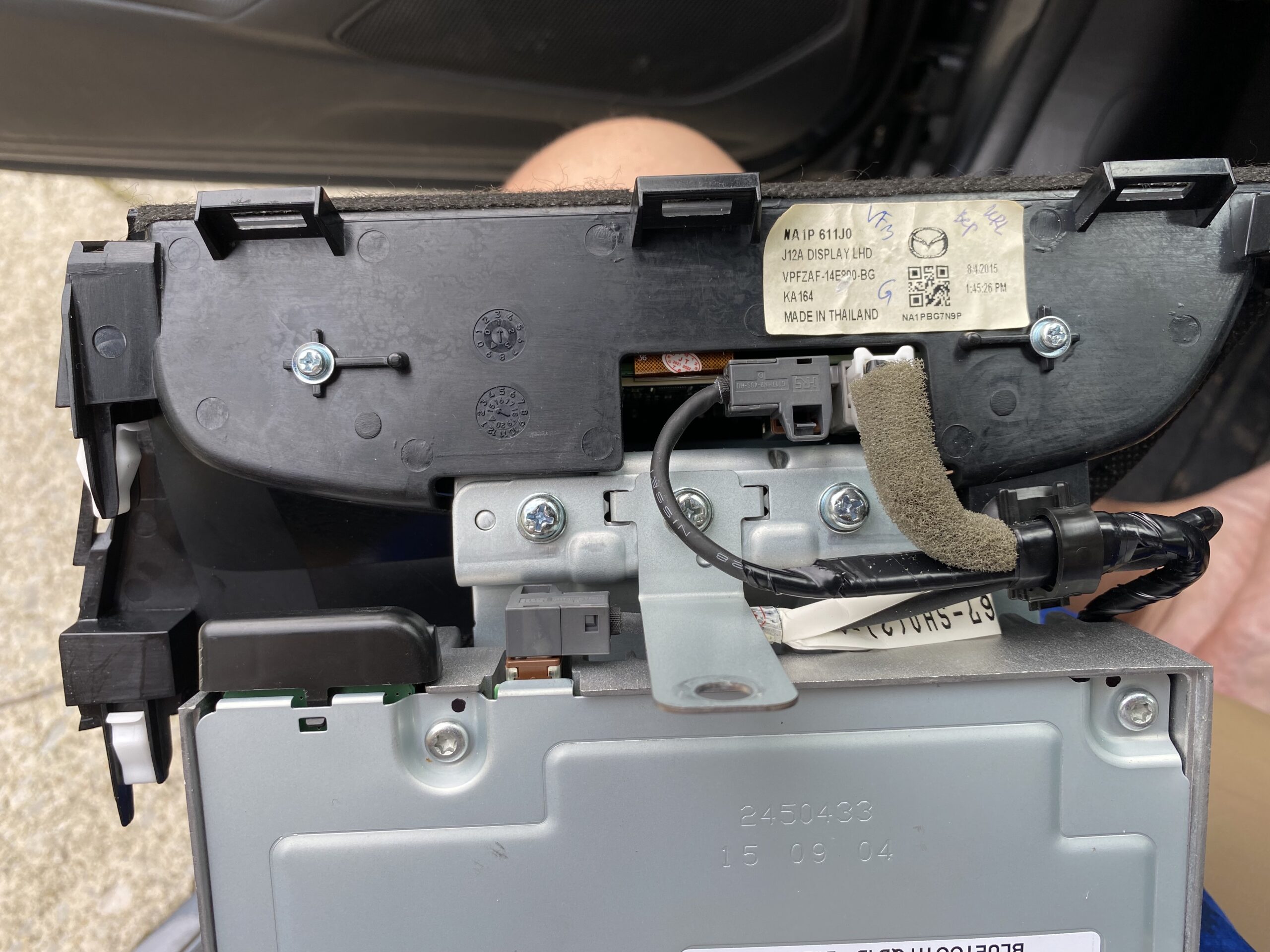
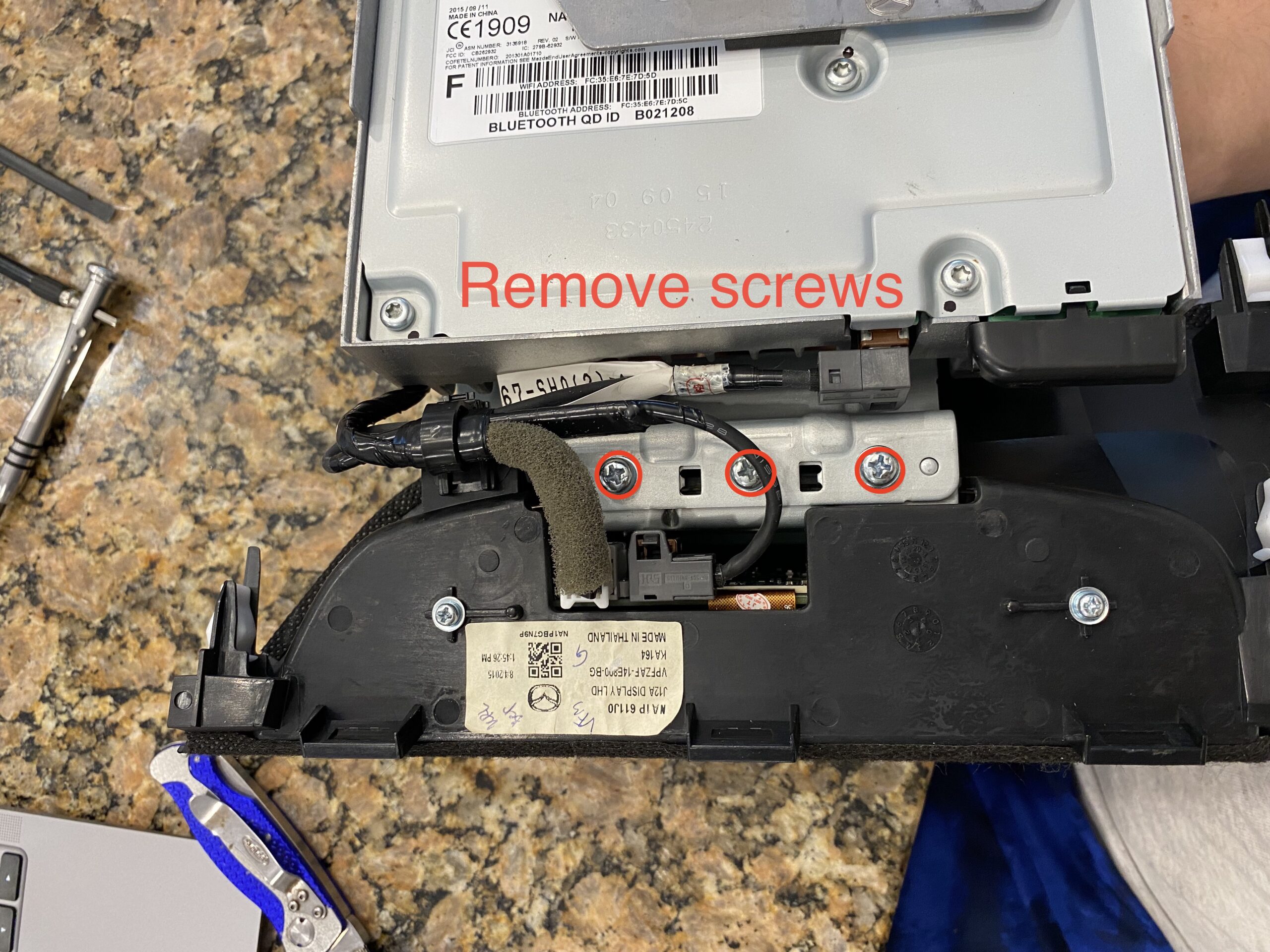
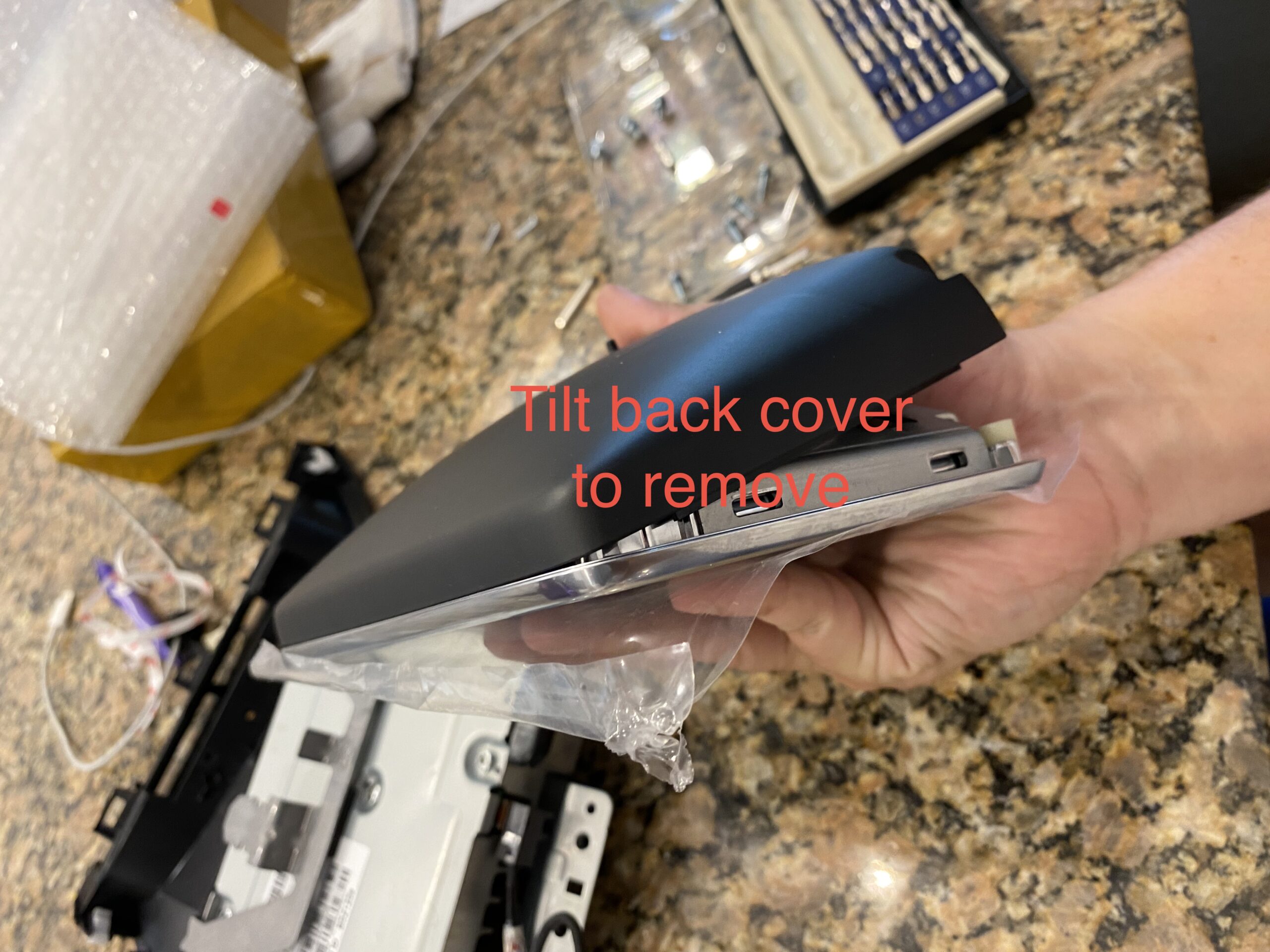
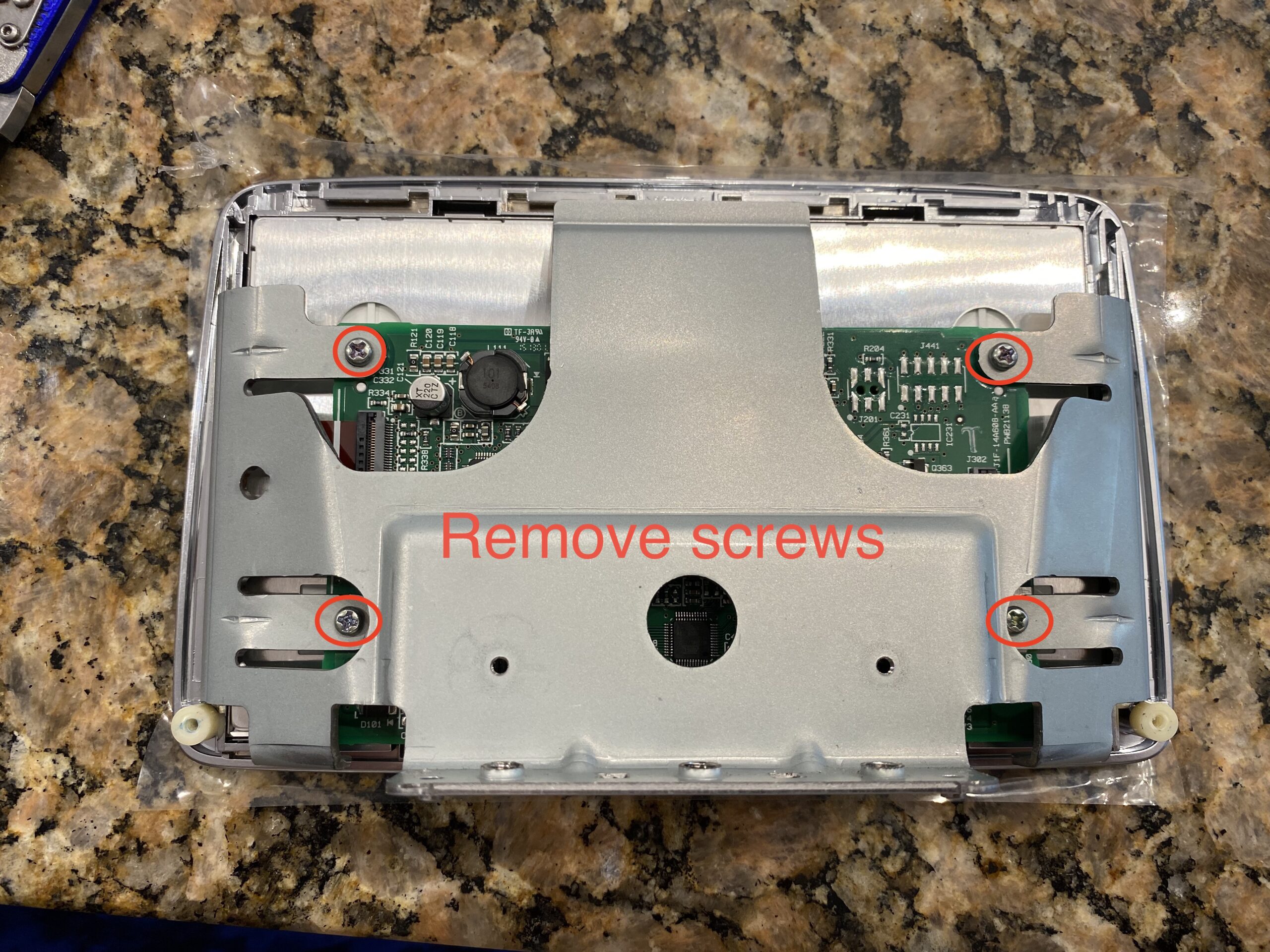
Separate the housing and expose the internal components carefully, avoiding stress on any ribbon cables.
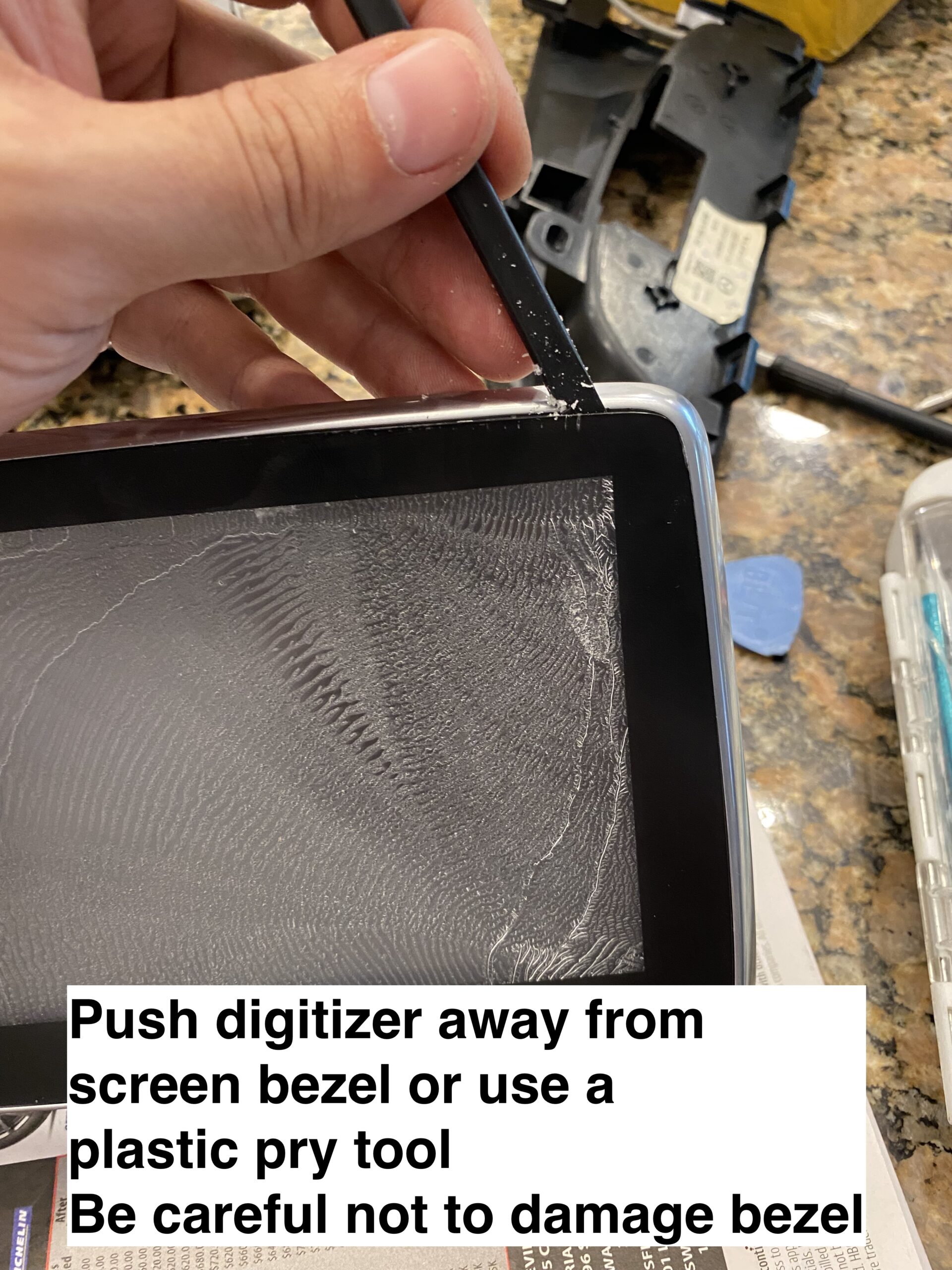
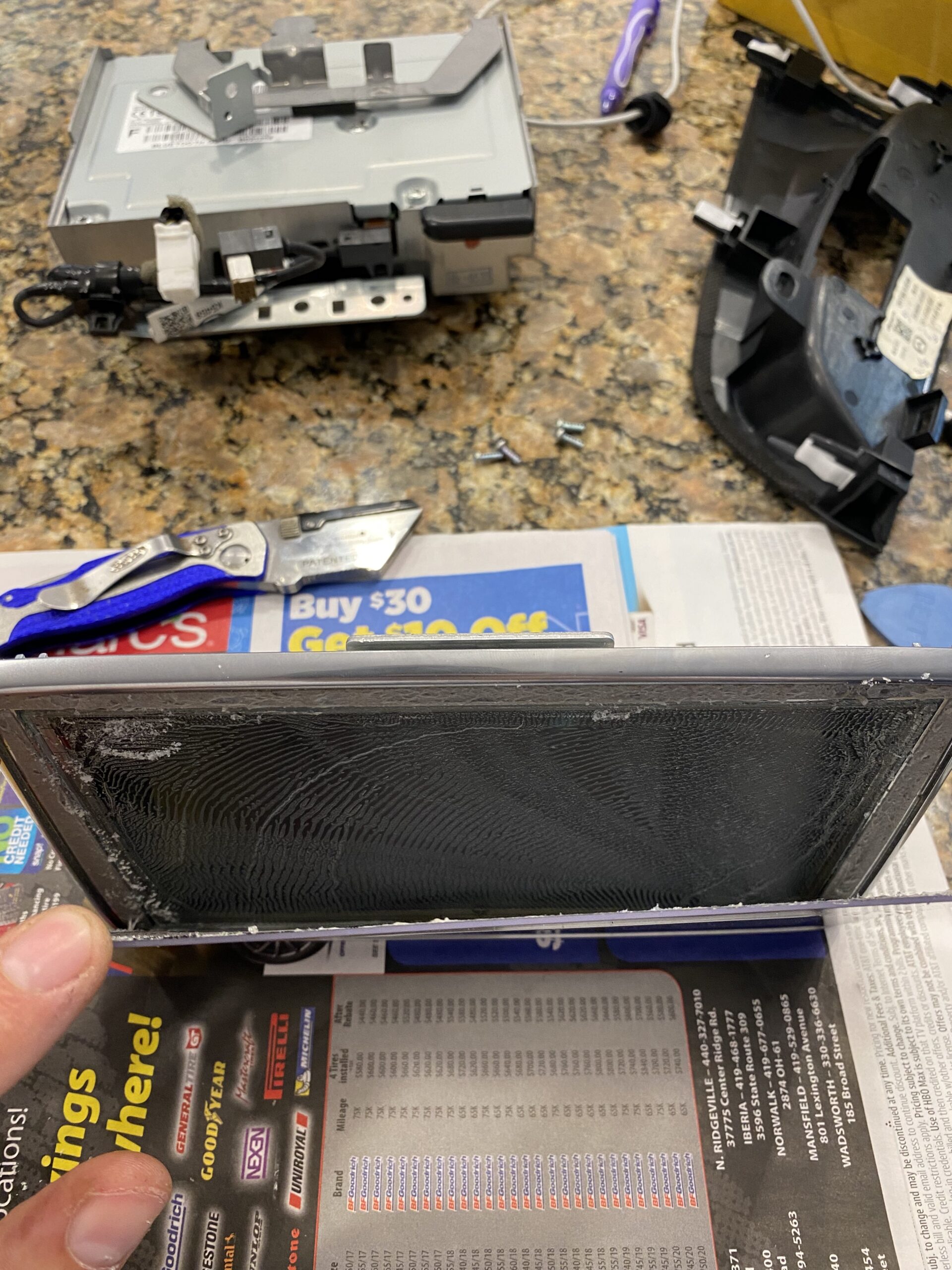
Step 3 — Remove the damaged digitizer

Work slowly when separating the old digitizer from the display assembly. Use heat carefully if needed to soften the adhesive.
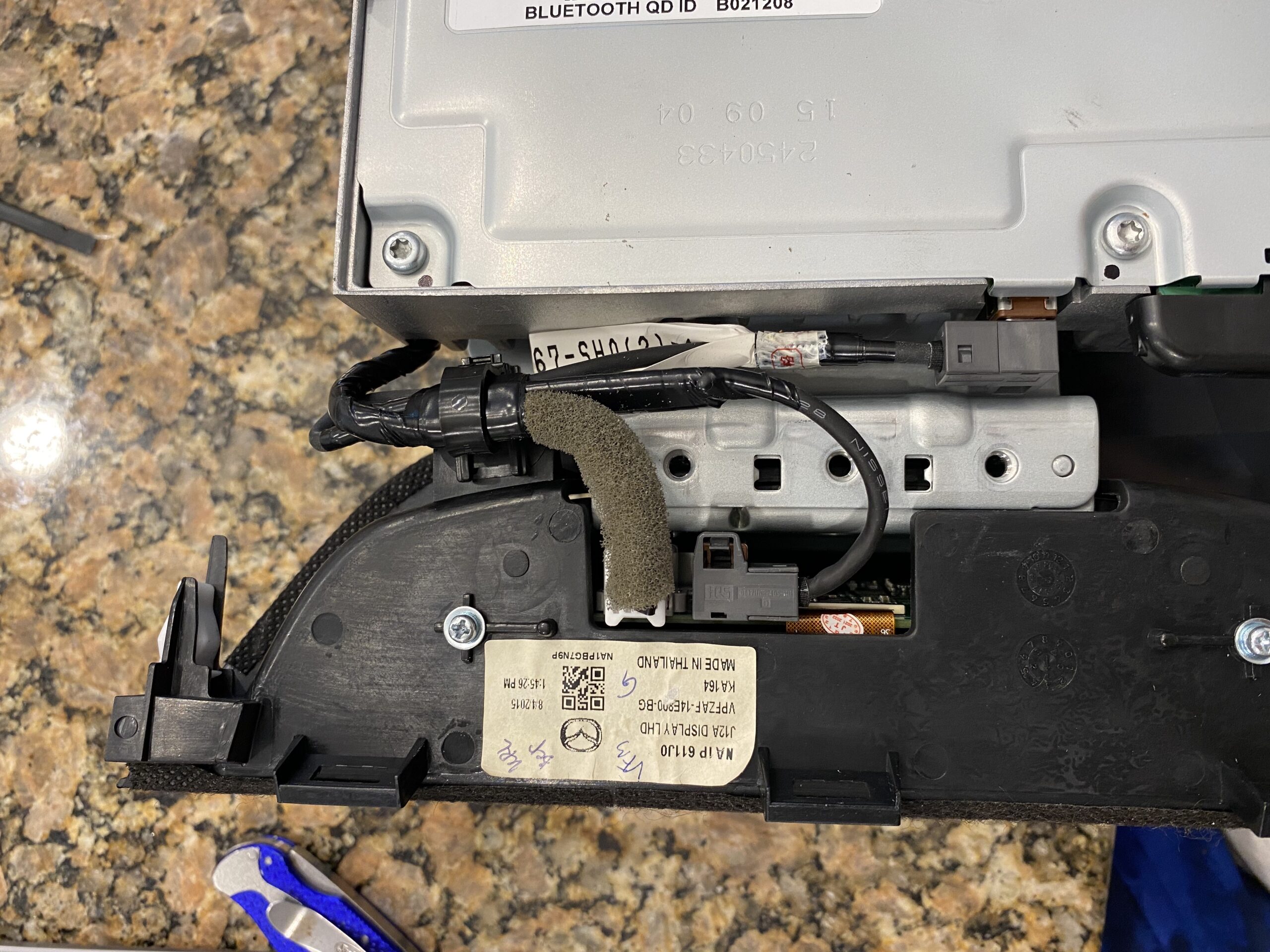
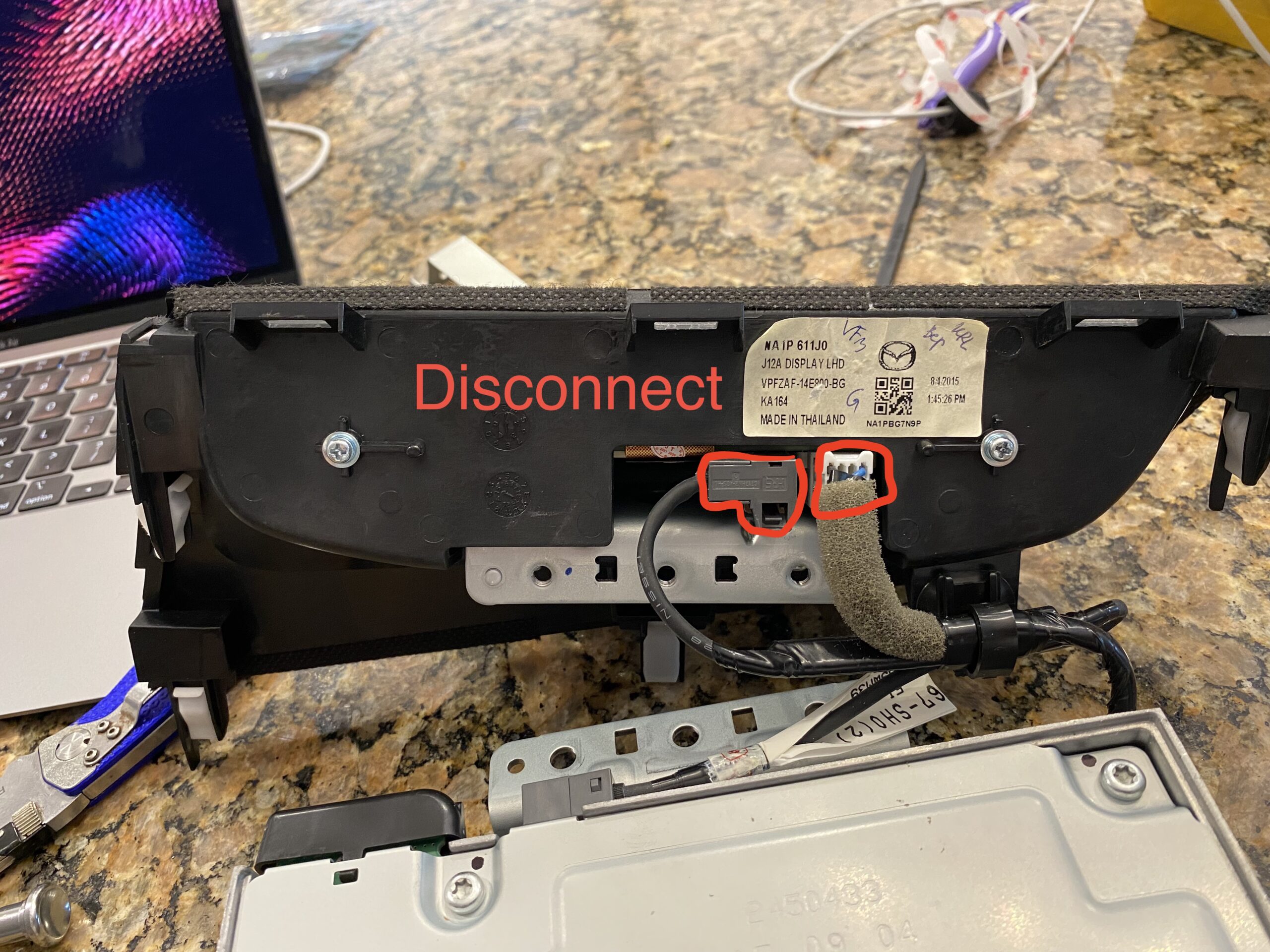
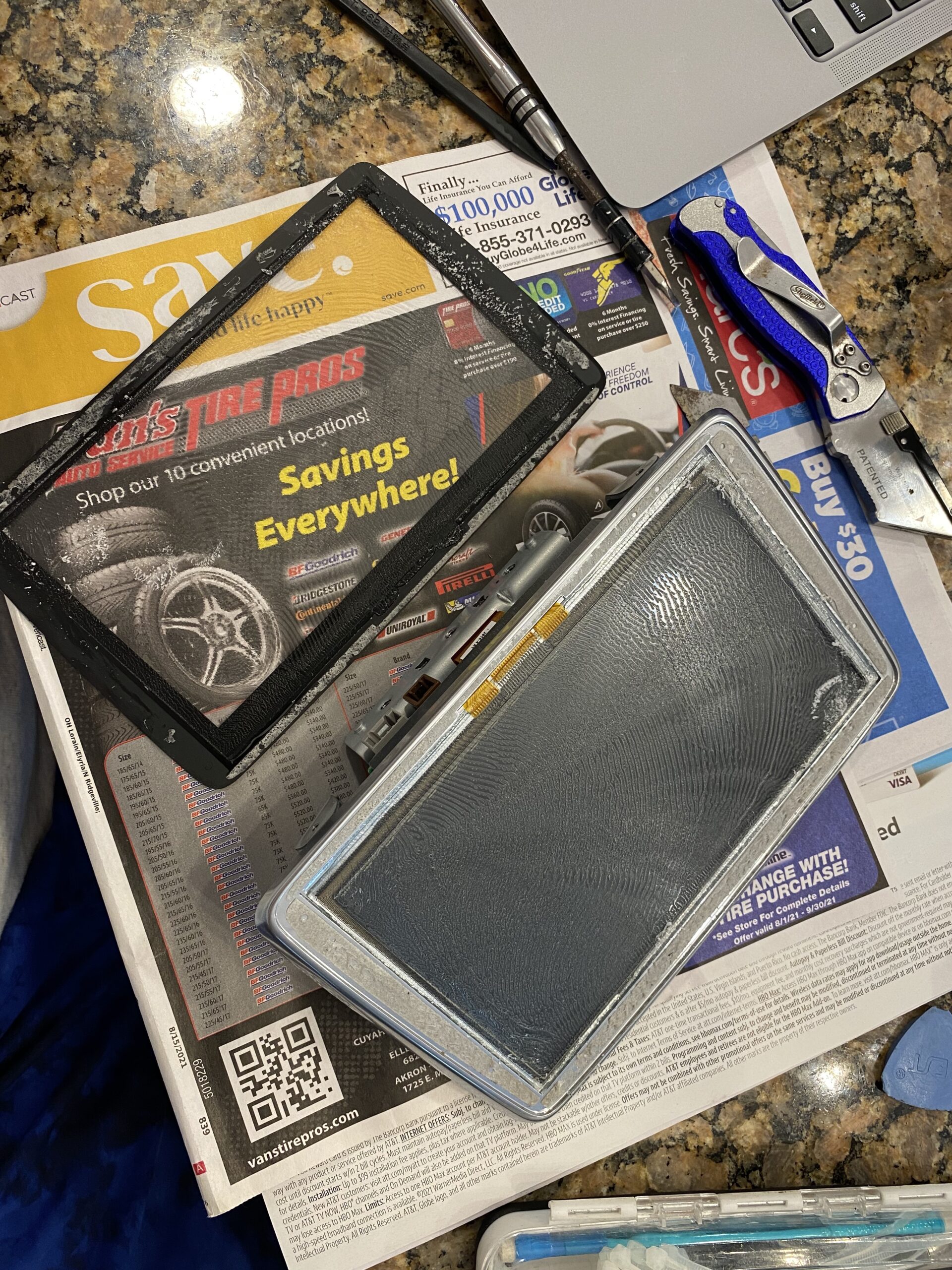
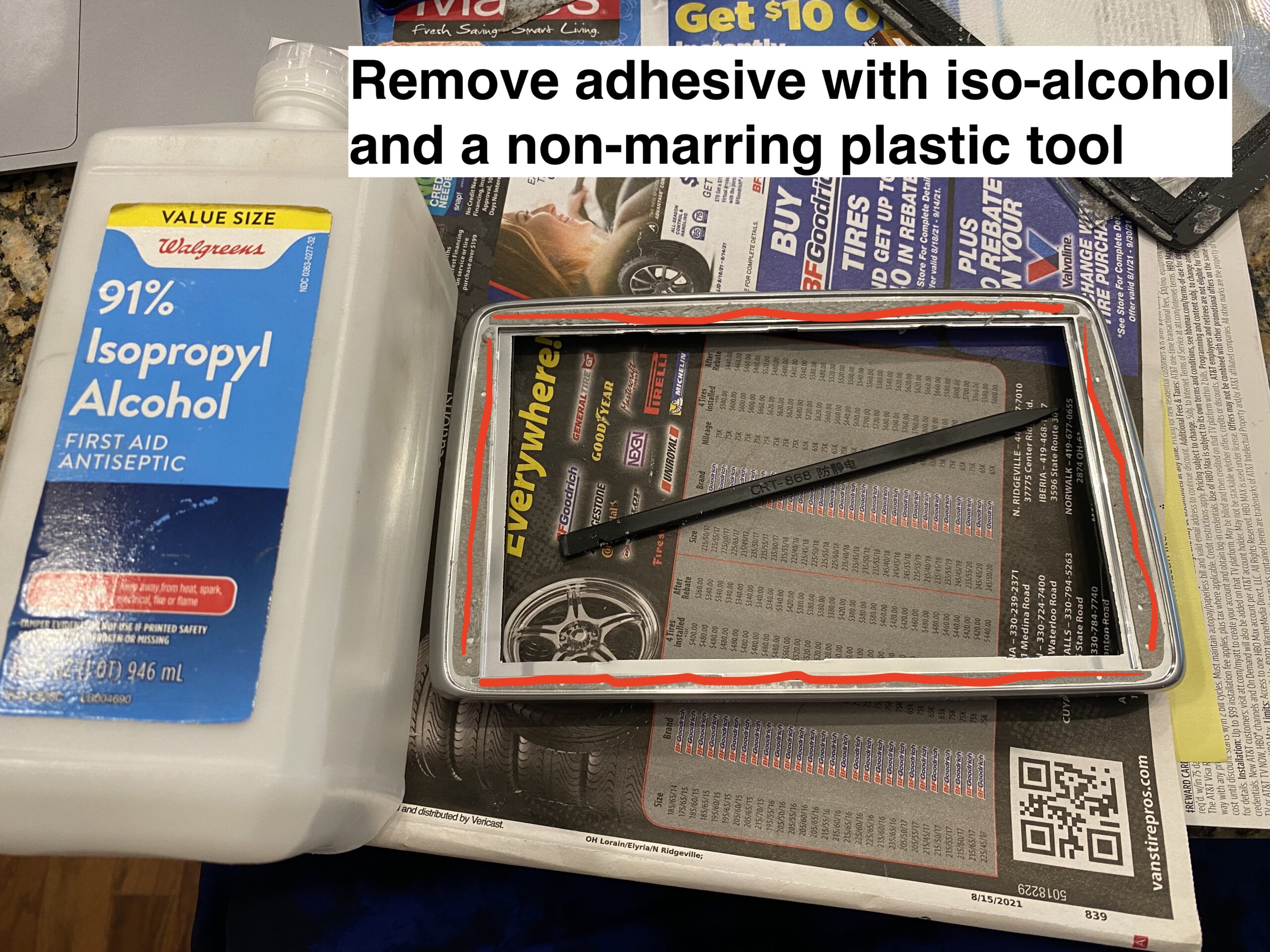
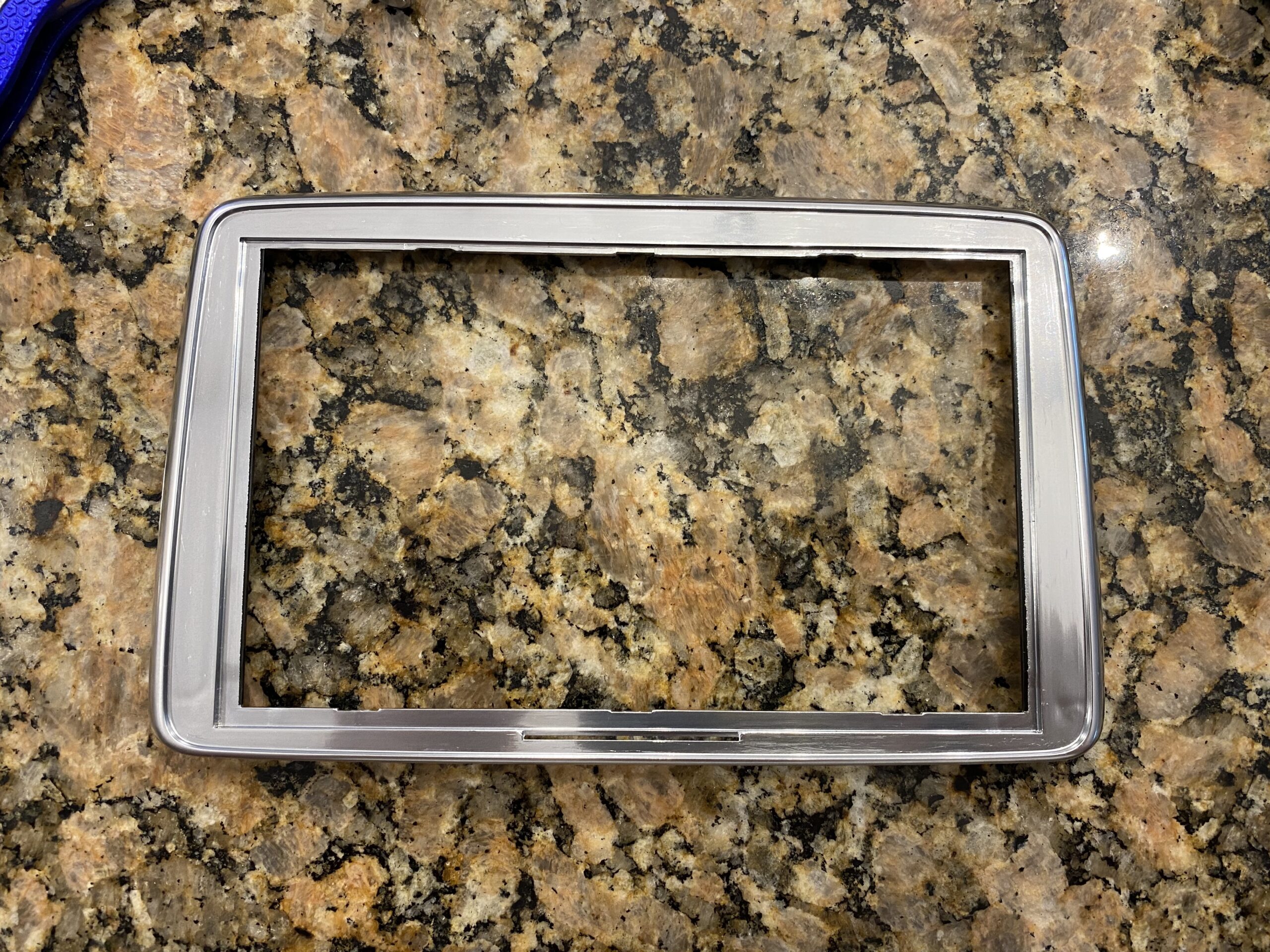
Step 4 — Clean the adhesive and prepare the surface

Remove all remaining adhesive and debris so the new digitizer can sit flat and bond properly.
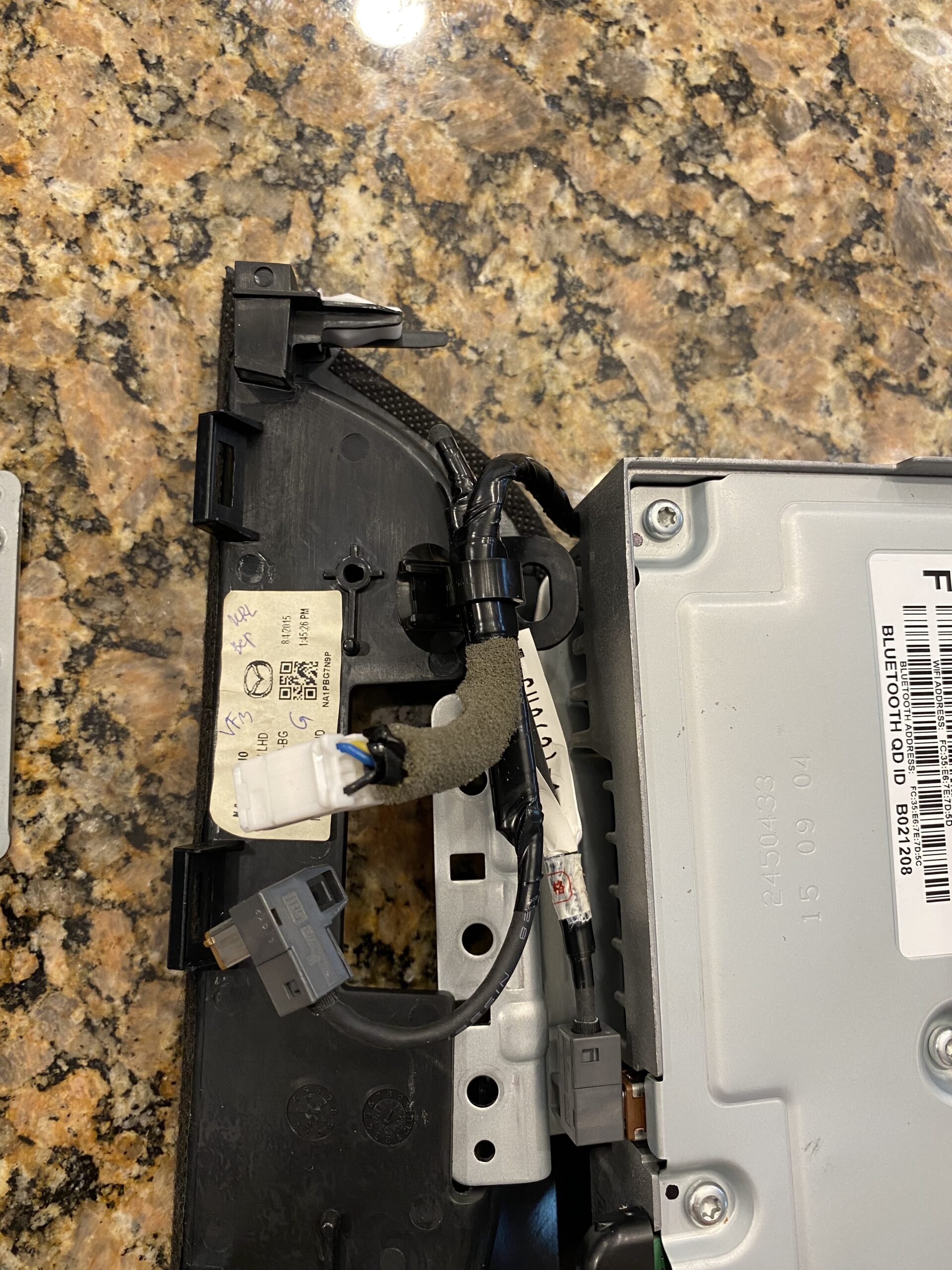
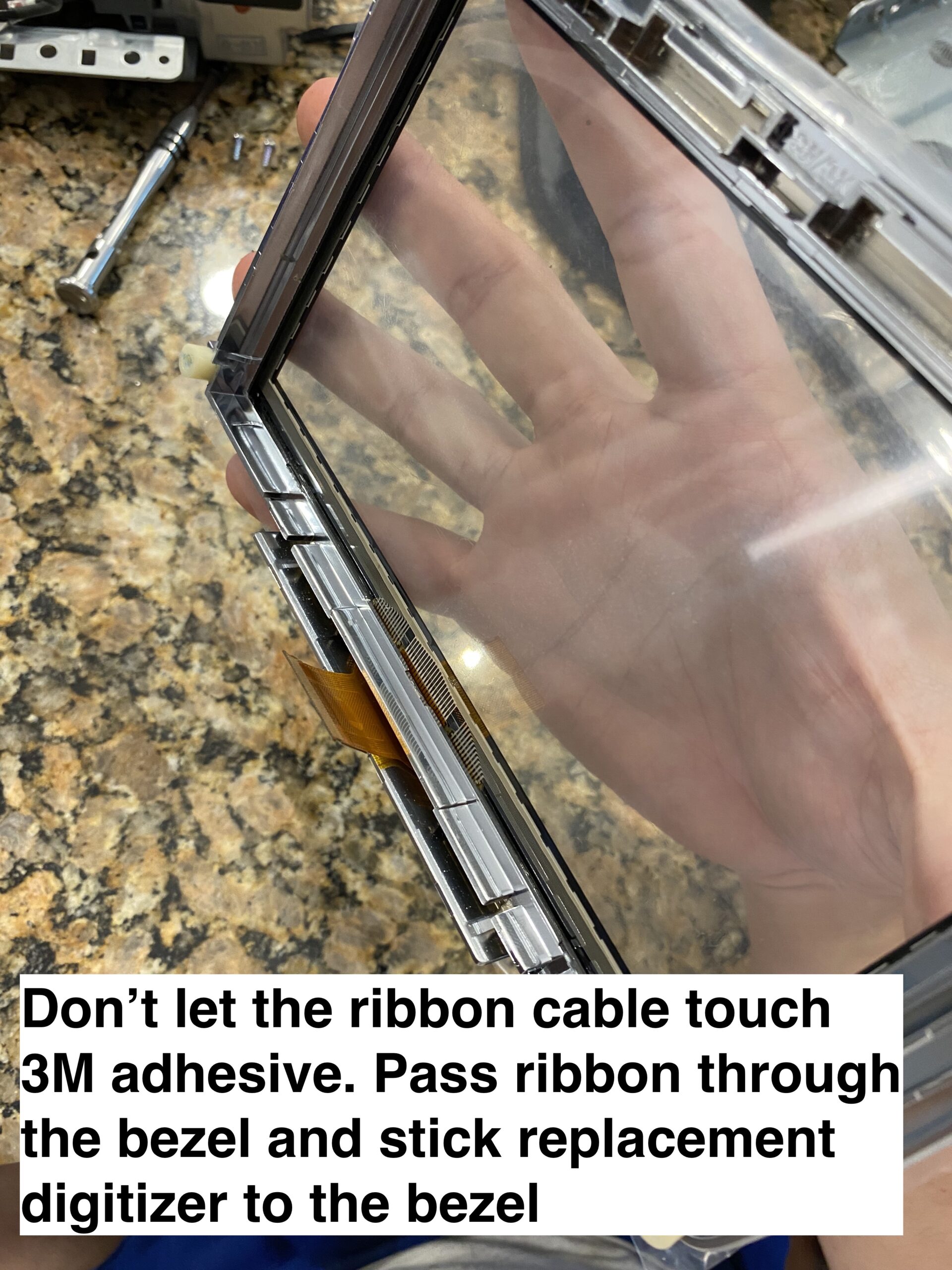
Step 5 — Install the new digitizer

Align the new digitizer carefully, route the ribbon correctly, and make sure the assembly sits flat before reassembly.
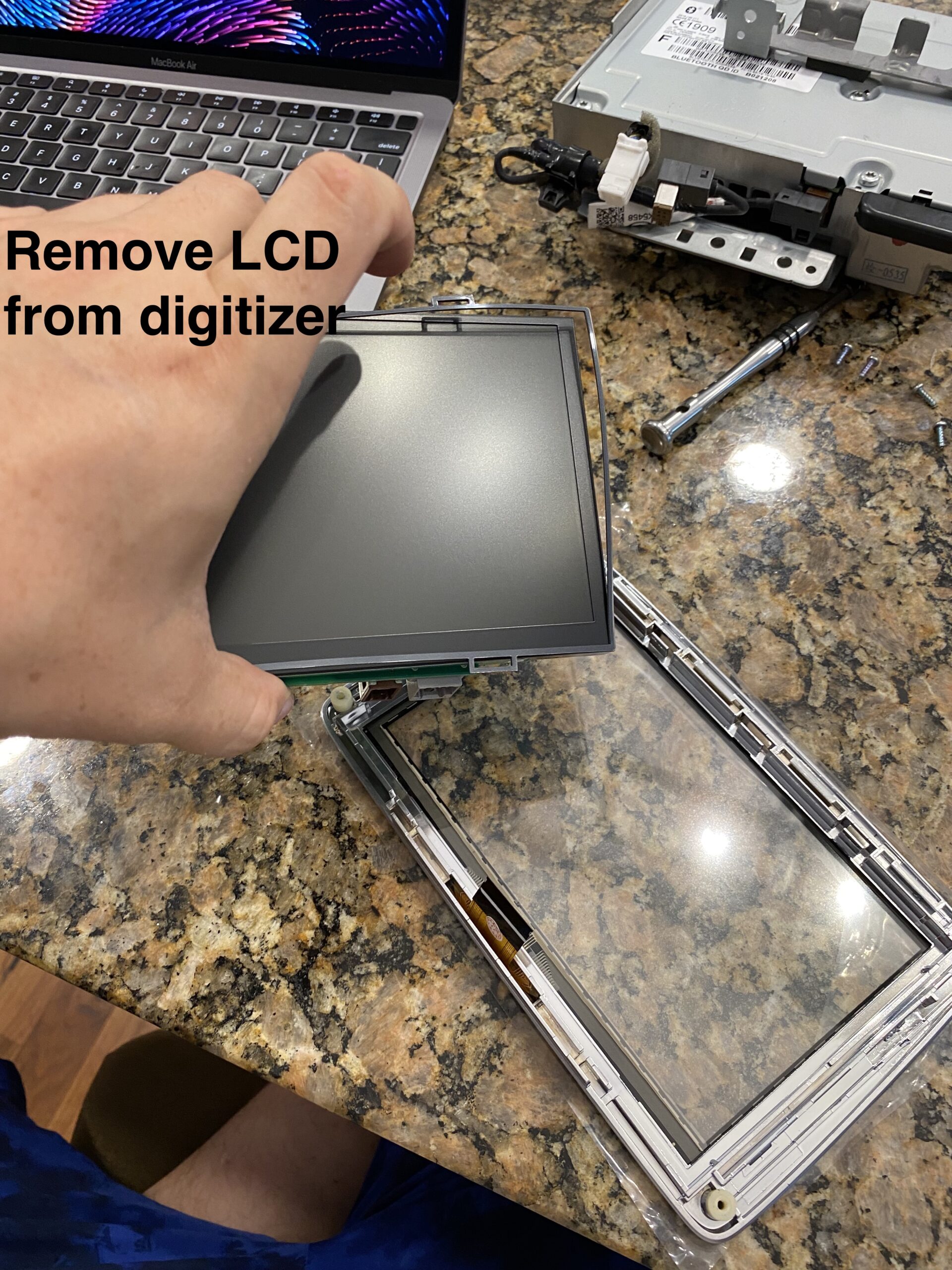
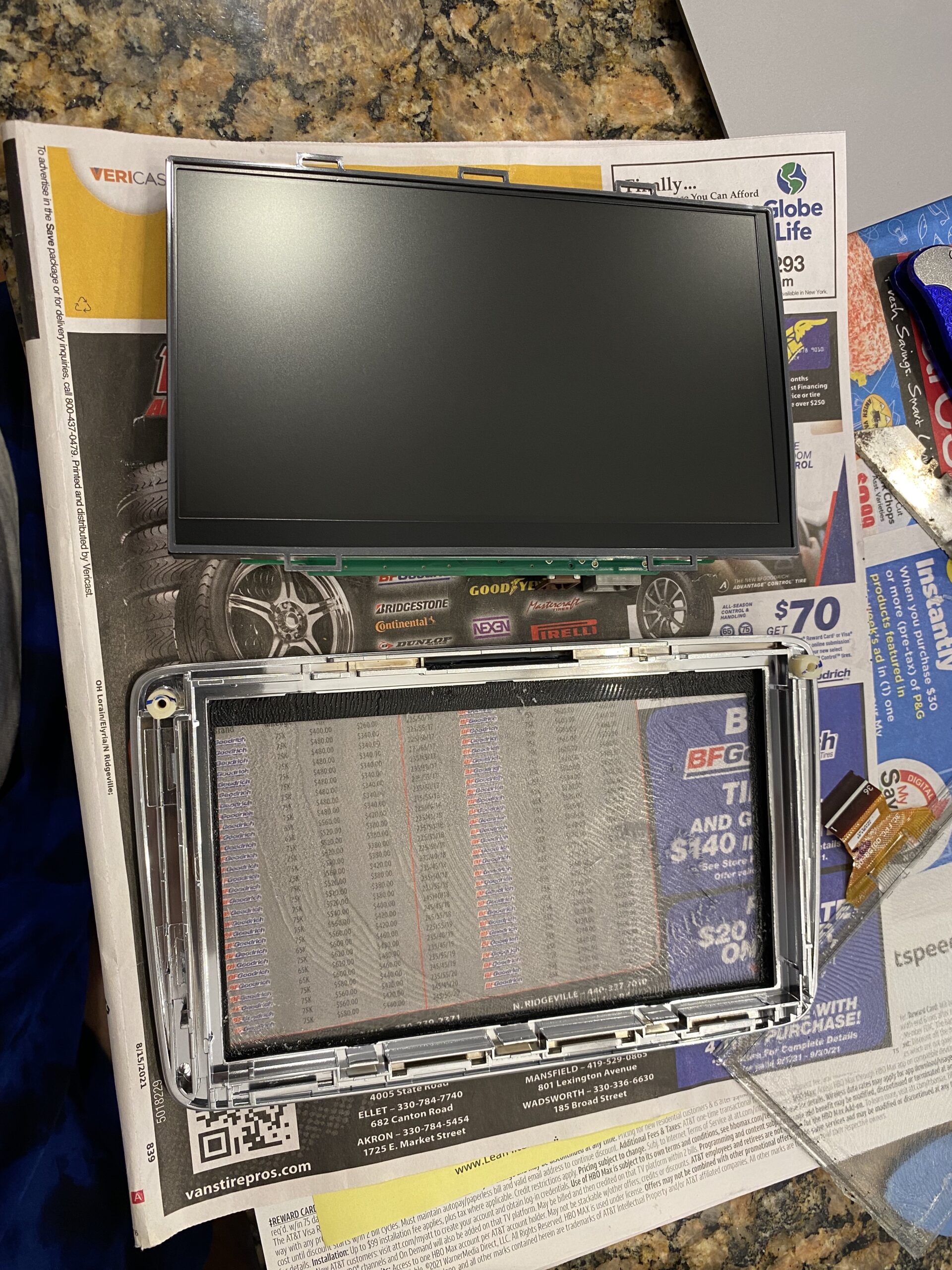
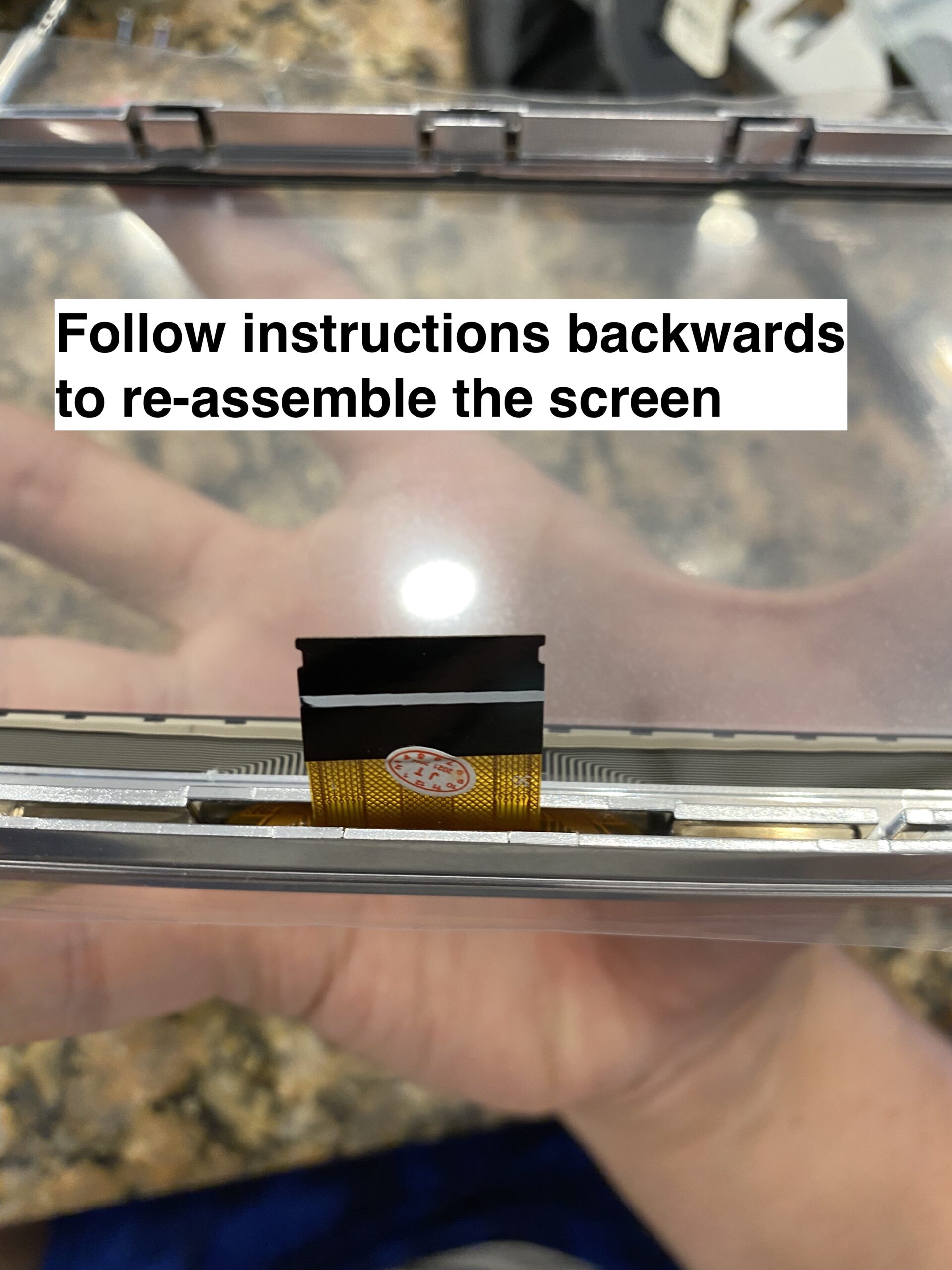
Step 6 — Reassemble and test

Reconnect everything, test touch response before fully buttoning it up, and then reinstall the trim pieces.
Final Notes

If your Mazda Connect screen is cracked or suffering from ghost touch issues, replacing only the digitizer can save a significant amount of money compared to replacing the full infotainment unit.

The most important step before ordering is confirming whether your screen uses the older 36-pin digitizer or the newer 50-pin digitizer.

Comments

33 responses to “How to fix Mazda touchscreen cracking / delamination”

  1. Daniel Avatar
    Daniel

    Thank you so much! I have a 2016 Miata and happened to stumble upon this guide, followed it, and now the infotainment screen looks brand new and feels so much better. Kudos to you!

  2. Pete Avatar
    Pete

    This is excellent work. It’s not a complex process, but you reflect a fairly high level of skill. Thanks for the effort!

  3. georges Avatar
    georges

    ou se procurer un écran
    tactile pour mx5 nd

  4. Zack Avatar
    Zack

    Does your touchscreen work without putting glue between your casing and the digitizer?

    1. Mark Avatar
      Mark

      This great thanks. When you took the old one off, in the picture it seems like a fully glued surface. However, you don’t mention any similar covering of glue on the eplacement, just the edge?

      1. Tyler Watthanaphand Avatar
        Tyler Watthanaphand

        The part you can buy from AliExpress is both the screen cover (the part you touch with your fingers) and the digitizer. They are glued to each other, but there is also adhesive sticking that assembly to the touchscreen bezel. The replacement from Aliexpress has both the screen cover and digitizer already glued together, and includes 3M tape that lets you stick it to the bezel.

  5. Pascal Avatar
    Pascal

    Merci beaucoup pour votre tuto, excellent vraiment, j’ai changé la vitre sans aucun problème 👍

  6. Lorenzo Avatar
    Lorenzo

    Thank you dude! Awesome tutorial, I have fixed the screen of my FIAT 124 Spider !

  7. Kk Avatar
    Kk

    Bro, you the GOAT for this one. Hands down. Bless your soul, man.

  8. Scott Moore Avatar
    Scott Moore

    Thanks so much!!

  9. DxC Avatar
    DxC

    Just carried out this repair to our car and it looks like new again!
    Brilliant, thank you so much.

  10. John Sutton Avatar
    John Sutton

    A thoroughly excellent and very well-written and documented ‘how-to’ guide – thank you very much!

    My car is a 2016 UK model, afflicted by the same spidery snowflake screen blemishes, and (out of warranty) my dealer had offered to pay the first £600 of the replacement bill, with me having to fork out £900 – it’s plainly a completely ludicrous and unnecessary exercise to swap out all that hardware for just a simple piece of faulty glass / plastic lamination!

    So I looked a bit further, and found mention of the availability (thanks again!) of a replacement touchscreen, procured one for £24, and fitted it yesterday. I took the opportunity at the same time to fit an Apple CarPlay USB box (£125 for the complete kit), which was a perfect job to combine with it, given that so much of the same stuff needed to come out.

    With many thanks once more, and all the best; JS.

    1. John Sutton Avatar
      John Sutton

      Just one last comment, which I’d meant to include above: once I reached the critical final stage of removing the old screen from the bezel, I was worried about damaging or even cracking the latter by prying it. So I warmed up each edge progressively with a hairdryer to soften the original adhesive, then used a small plastic phone screen pry-bar on the INSIDE of the bezel to guard against marking it. This worked really well, and once the tool was fully underneath the full width of the bezel recess in one position I was then able to work the heat and the ‘blade’ around the full perimeter to fully detach the screen.

      From the UK I bought my part here: https://www.ebay.co.uk/itm/384585599701

      [if you also fancy upgrading your infotainment system to Apple CarPlay at the same time – extremely easy as you have access to almost everything you need once the screen assembly is removed – a reliable source for the kit is here: https://www.amazon.co.uk/gp/product/B091F91LMP/ref=ppx_yo_dt_b_asin_title_o00_s00?ie=UTF8&psc=1%5D

  11. […] also provided a link for an excellent repair guide (alternate google doc), written up with many photos, by Tyler […]

  12. ND2 Miata Avatar
    ND2 Miata

    Does this replacement touchscreen/s linked work with newer models, like 2019 and upwards?

    1. Tyler Watthanaphand Avatar
      Tyler Watthanaphand

      Hi, I was under the impression newer models didn’t have this same defect. Unfortunately, I don’t have any information if this works with the newer cars. I know at some point they made some small changes to the infotainment around the time the ND2 was released. Let me know what you find out though!

      1. Michael Brockman Avatar
        Michael Brockman

        Thanks for the great “how to” info! I have a 2020 ND Club which unfortunately has this issue. Mazda has a replacement screen and bezel assembly for around 200 dollars. Since I wasn’t sure the older screens would be compatible, I went this route. It’s still much cheaper than having it serviced.

        1. Shaun Avatar
          Shaun

          Hi Michael,

          I have a 2020 ND GT with the same problem. Did you manage to fix yours with one of these replacement screens?

          Thanks!

          1. Mica Mei Avatar
            Mica Mei

            I just ordered this part and there were some small changes. The ribbon cable is different for 2020+ I think, so it doesn’t fit. I took the whole thing apart and then realized this and haven’t managed to find the updated part 🙁

        2. Geoff Avatar
          Geoff

          Michael,
          I am having trouble locating the part number for the screen and bezel. Would you be so kind to share that part number with me?

  13. Dale Louis Avatar
    Dale Louis

    Hello, I hope you are well! Will this work the same with my Mazda cx3 model? I know the disassembly and overall taking off the infotainment system is different, but after that will the steps be the same?

    1. Tyler Watthanaphand Avatar
      Tyler Watthanaphand

      Hi Dale, I don’t have definitive proof the process is identical, but I don’t see why it wouldn’t be, as long as the screen size is identical, and made up of the same separate pieces (bezel, touchscreen, back panel)

  14. Michael Strauss Avatar
    Michael Strauss

    Will this part from Amazon that claims it works for 2014-2016 Mazda MX-5 also work for 2017 MX-5?

    1. Tyler Watthanaphand Avatar
      Tyler Watthanaphand

      I personally didn’t have a 2017, but seeing as the displays appear to be identical between those years, I would say yes.

  15. Norm Ovens Avatar
    Norm Ovens

    Thank you so much for this great piece of work. I was able to purchase the digitizer through Amazon. The whole thing was the same procedure for my Spider 124. It took me about 1 hour, and it worked like a charm.

  16. Katherine Matthews Avatar
    Katherine Matthews

    Are any of the links to purchase compatible with a 2017 Mazda CX-9? I’m having trouble finding the replacement screen.

  17. Miles Knight Avatar
    Miles Knight

    This guide is amazing! It fixed the ghost touch issue I’ve had on my infotainment screen and it looks so much better than the stock screen.

  18. Holly Avatar
    Holly

    Hey Tyler!

    Thank you so much for posting this! I was able to replace my 124 Abarth (2018) screen by following along. Sourdough there were some modifications, it provided each step!

    Cheers to you!!

  19. Jason Avatar
    Jason

    Great – thank you for posting this. Very clear instructions which enabled me to replace digitizer in 2017 Mazda MX5 RF. Wonderful!

  20. Aaron Avatar
    Aaron

    Kudos / thanks much for this, used on a 2017 Abarth 124. The trim piece with the emergency button extends beyond what the pictures show above however the procedure is basically the same, just on the extra bit there are 3 metal clips that sound scary when removed but nothing busted. Thanks much!!!!!!!!!

  21. Robyn Avatar
    Robyn

    Thanks for the write up. Just did this repair yesterday on my 2016 Miata. Here’s another alternative for getting the damaged digitizer out… I used two plastic razor blades. The first one I worked from the inside until I was able to get it pushed in far enough that a gap appeared between the bezel and the digitizer. Then leaving that in place, I put the second blade in that gap and worked it around the outer edge. No scratches on the bezel and no heat required. The plastic razor blades also worked great getting the old adhesive off.

  22. David Avatar
    David

    Huge thanks for this awesome guide – really well done! 🙌
    I followed it today to fix the display on my Fiat 124 Spider (basically identical to the MX-5) and it worked perfectly!

    Just a small note for anyone doing this on a 124 Spider: the trim piece on the center console runs all the way across the passenger side, unlike on the MX-5 shown in the pictures. I first loosened the spots mentioned in the guide, then carefully lifted the trim a bit from the passenger side using a plastic spatula to reach the first of the three clips. From there, it came off step by step quite easily, though not without scary noises. If you’re unsure, there are video guides out there showing people who disassembled the whole interior.

    Other than that, everything matches exactly as described. Huge kudos to the author and thanks as well to everyone in the comments – all the shared tips were super helpful! 👏

Leave a Reply to Jason Cancel reply

Your email address will not be published. Required fields are marked *